Identify five prevalent cyber attacks and learn practical defense strategies. Strengthen your cybersecurity posture against threats.
Identify five prevalent cyber attacks and learn practical defense strategies. Strengthen your cybersecurity posture against threats.
5 Common Cyber Attacks and How to Defend Against Them
Hey there! In today’s digital world, it feels like every other day we hear about a new cyber attack. It’s a bit like living in a city with lots of traffic – you need to know the rules of the road and how to drive defensively to stay safe. Cyber attacks aren’t just for big corporations; they can hit anyone, from a small business owner in Bangkok to a student in San Francisco. Understanding the most common types of attacks and, more importantly, how to defend against them, is super crucial. Think of this as your friendly guide to navigating the wild west of the internet. We’re going to break down five of the most prevalent cyber threats out there and give you actionable tips and even some product recommendations to keep your digital life secure. Let’s dive in!
Phishing Scams Understanding Email and SMS Deception
First up, we have phishing. This is probably one of the oldest tricks in the book, but it’s still incredibly effective because it preys on human trust and curiosity. Phishing is basically when attackers try to trick you into giving up sensitive information like usernames, passwords, or credit card details by pretending to be a trustworthy entity. This could be your bank, a popular online store, a government agency, or even a colleague.
How Phishing Works The Art of Digital Impersonation
Phishing usually comes in the form of an email, but it can also be through text messages (smishing) or even voice calls (vishing). The attacker sends you a message that looks legitimate, often with a sense of urgency or a tempting offer. For example, you might get an email saying your bank account has been locked due to suspicious activity and you need to click a link to verify your details. Or maybe it’s a message from a shipping company about a package delivery, asking you to confirm your address. The links in these messages often lead to fake websites that look identical to the real ones. Once you enter your information, boom, it’s in the hands of the bad guys.
Defending Against Phishing Recognizing Red Flags and Best Practices
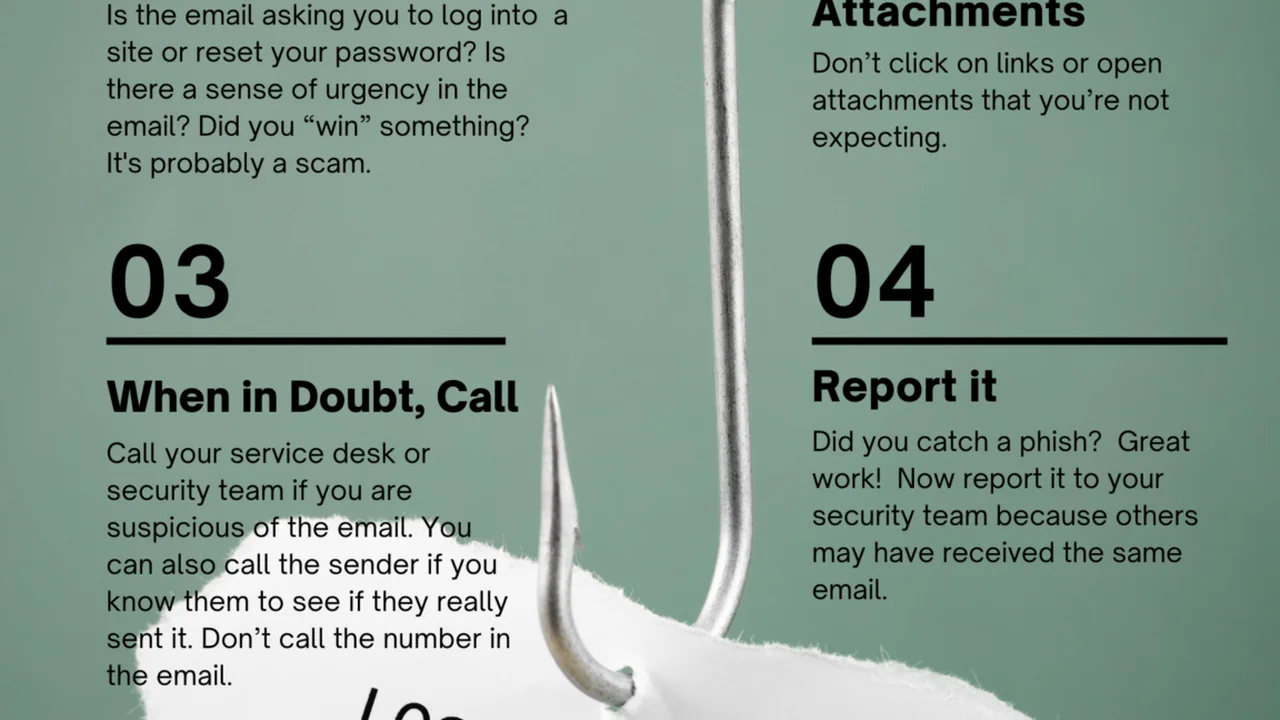
The best defense against phishing is awareness and a healthy dose of skepticism. Here’s what you can do:
- Check the Sender: Always scrutinize the sender’s email address. Does it exactly match the legitimate organization? Often, phishers use similar-looking domains (e.g., ‘amaz0n.com’ instead of ‘amazon.com’).
- Hover Before You Click: Before clicking any link, hover your mouse over it (without clicking!) to see the actual URL. If it looks suspicious or doesn’t match the expected website, don’t click.
- Look for Typos and Poor Grammar: Legitimate organizations usually have professional communications. Typos, grammatical errors, and awkward phrasing are often red flags.
- Be Wary of Urgency or Threats: Phishing emails often try to create panic or threaten consequences (e.g., ‘Your account will be closed if you don’t act now!’). This is a classic tactic to bypass your critical thinking.
- Never Give Out Sensitive Info: No legitimate organization will ask for your password, PIN, or full credit card number via email or text.
- Use Multi-Factor Authentication (MFA): Even if your password is compromised, MFA adds an extra layer of security, making it much harder for attackers to access your accounts.
- Report Suspicious Emails: Most email providers have a ‘report phishing’ option. Use it!
Recommended Tools for Phishing Protection
While human vigilance is key, some tools can help:
- Email Security Solutions: Many email providers (like Gmail, Outlook) have built-in phishing filters. For businesses, solutions like Microsoft Defender for Office 365 or Proofpoint Email Protection offer advanced threat detection. These typically cost anywhere from $5-$20 per user per month for business plans, offering robust filtering and URL rewriting.
- Browser Extensions: Extensions like Netcraft Anti-Phishing Extension (free) or those built into antivirus suites can warn you about known malicious websites.
- Password Managers: Tools like LastPass, 1Password, or Dashlane (free versions available, premium from $3-$8/month) can help by auto-filling credentials only on legitimate sites, preventing you from accidentally entering them on fake ones.
Malware Attacks Viruses Ransomware and Spyware
Malware is a broad term for ‘malicious software.’ It’s designed to disrupt, damage, or gain unauthorized access to a computer system. Think of it as a digital disease that can infect your devices. There are many types, but some of the most common and damaging include viruses, ransomware, and spyware.
Understanding Different Malware Types
- Viruses: These attach themselves to legitimate programs and spread when those programs are executed. They can corrupt files, slow down your system, or even delete data.
- Ransomware: This is particularly nasty. It encrypts your files or locks your entire system, then demands a ransom (usually in cryptocurrency) for their release. If you don’t pay, your data might be lost forever. Recent high-profile attacks have shown how devastating this can be for businesses and individuals alike.
- Spyware: As the name suggests, spyware secretly monitors your computer activity, collecting personal information like browsing history, keystrokes, and even screenshots, often without your knowledge.
- Adware: While often less malicious, adware bombards you with unwanted advertisements, often slowing down your system and potentially leading to more harmful infections.
- Trojans: These disguise themselves as legitimate software but carry a hidden malicious payload. Once installed, they can open backdoors for other malware or steal data.
Defending Against Malware Proactive Protection and Removal
Protecting against malware requires a multi-layered approach:
- Use Reputable Antivirus Software: This is your first line of defense. Keep it updated!
- Be Careful What You Download: Only download software from trusted sources. Be wary of free software from unknown websites.
- Scan External Devices: Always scan USB drives or external hard drives before opening files from them.
- Keep Your Software Updated: Operating systems, web browsers, and all applications should be kept up-to-date. Updates often include security patches that fix vulnerabilities.
- Use a Firewall: A firewall monitors incoming and outgoing network traffic, blocking unauthorized access.
- Backup Your Data: Regularly back up your important files to an external drive or cloud service. This is crucial for ransomware recovery.
Recommended Antivirus and Anti-Malware Solutions
Choosing the right security software is vital. Here are some top contenders:
- Bitdefender Total Security: Often praised for its excellent detection rates and comprehensive features, including ransomware protection, VPN, and parental controls. A 1-year subscription for 5 devices typically costs around $40-$60.
- Kaspersky Total Security: Another strong performer with robust malware protection, privacy tools, and safe money features. Similar pricing to Bitdefender.
- Norton 360 Deluxe: Offers a good balance of protection, performance, and features like a VPN, dark web monitoring, and cloud backup. A 1-year subscription for 5 devices is usually in the $50-$80 range.
- Malwarebytes Premium: Excellent for detecting and removing malware, especially ransomware and spyware. It can run alongside your existing antivirus. A 1-year subscription for 1 device is about $40.
- Avast One: Offers a free version with basic antivirus, but the premium version includes a VPN, firewall, and privacy tools. Premium plans start around $50/year.
When comparing, consider factors like detection rates (check independent labs like AV-Test or AV-Comparatives), system impact, features (VPN, password manager, firewall), and pricing for the number of devices you need to protect.
Denial of Service DoS and Distributed Denial of Service DDoS Attacks
Imagine trying to get into a popular concert, but there are so many people trying to get in at once that the entrance gets completely jammed, and no one can get through. That’s pretty much what a DoS or DDoS attack does to a website or online service.
How DoS and DDoS Attacks Overwhelm Online Services
A Denial of Service (DoS) attack aims to make a machine or network resource unavailable to its intended users by temporarily or indefinitely disrupting services of a host connected to the Internet. It’s usually carried out by a single attacker or a single compromised system.
A Distributed Denial of Service (DDoS) attack is a more powerful version. Instead of one source, it uses multiple compromised computer systems (often called a ‘botnet’) as sources to flood the target with traffic. This overwhelming flood of requests or data makes the service slow down or crash completely, preventing legitimate users from accessing it. These attacks can be used for extortion, to disrupt competitors, or as a form of digital protest.
Defending Against DoS and DDoS Strategies for Uptime and Resilience
Defending against DDoS attacks can be challenging because they often involve massive amounts of traffic. However, there are strategies:
- DDoS Protection Services: These services act as a shield, filtering out malicious traffic before it reaches your servers. They absorb the attack and only forward legitimate requests.
- Content Delivery Networks (CDNs): CDNs distribute your website’s content across multiple servers globally. This not only speeds up content delivery but also helps absorb traffic spikes, making your site more resilient to DDoS attacks.
- Robust Network Infrastructure: Having sufficient bandwidth and scalable server resources can help withstand smaller attacks.
- Incident Response Plan: Knowing what to do when an attack hits is crucial. This includes monitoring tools, communication protocols, and steps to mitigate the attack.
Recommended DDoS Protection Services
For businesses and websites, dedicated DDoS protection is essential:
- Cloudflare: One of the most popular and effective DDoS protection services. They offer a free plan for basic website protection, with paid plans (Pro, Business, Enterprise) starting from $20/month for more advanced features and larger attack mitigation. Cloudflare acts as a reverse proxy, routing all traffic through their network to filter out malicious requests.
- Akamai: A leading provider of CDN and cloud security services, offering robust DDoS protection for large enterprises. Their pricing is typically custom and on the higher end, suitable for large-scale operations.
- Sucuri: Specializes in website security, including DDoS protection, firewall, and malware removal. Their plans start around $200/year for basic website protection.
- AWS Shield: Amazon Web Services offers DDoS protection for resources hosted on AWS. AWS Shield Standard is free for all AWS customers, while AWS Shield Advanced offers enhanced protection for a monthly fee (starting at $3,000/month plus data transfer costs), ideal for critical applications.
For individuals, while direct DDoS protection isn’t usually necessary, using a good VPN can help mask your IP address, making it harder for attackers to target you directly with a DoS attack.
Man-in-the-Middle MitM Attacks Intercepting Your Data
Imagine you’re having a private conversation with someone, but an eavesdropper is secretly listening in on everything you say and even altering your messages without either of you knowing. That’s essentially a Man-in-the-Middle (MitM) attack in the digital world.
How MitM Attacks Intercept and Manipulate Communications
A MitM attack occurs when an attacker secretly relays and possibly alters the communication between two parties who believe they are directly communicating with each other. The attacker positions themselves between you and the service you’re trying to reach (e.g., a website, an email server). They intercept your data, read it, and can even modify it before sending it on to the legitimate destination. This can happen on unsecured Wi-Fi networks, through compromised routers, or by tricking your browser into trusting a fake website certificate.
Common scenarios include:
- Public Wi-Fi Eavesdropping: On unsecured public Wi-Fi networks (like in cafes or airports), attackers can easily intercept unencrypted traffic.
- DNS Spoofing: Attackers can redirect your web traffic to a malicious site by corrupting DNS records.
- SSL Stripping: This attack downgrades an HTTPS connection to an unencrypted HTTP connection, allowing the attacker to see your data in plain text.
Defending Against MitM Attacks Securing Your Connection
Protecting yourself from MitM attacks involves securing your communication channels:
- Always Use HTTPS: Look for ‘https://’ in the website address and a padlock icon in your browser. This indicates an encrypted connection. Be especially vigilant on login pages or when making payments.
- Avoid Public Wi-Fi for Sensitive Transactions: If you must use public Wi-Fi, never conduct sensitive activities like online banking or shopping.
- Use a VPN on Public Wi-Fi: A Virtual Private Network (VPN) encrypts all your internet traffic, creating a secure tunnel between your device and the VPN server. This makes it much harder for attackers on public Wi-Fi to intercept your data.
- Keep Your Router Secure: Change default router passwords, use strong encryption (WPA2 or WPA3), and keep its firmware updated.
- Be Wary of Certificate Warnings: If your browser warns you about an invalid or untrusted security certificate for a website, take it seriously. It could indicate a MitM attempt.
Recommended Tools for MitM Protection
VPNs are your best friend against MitM attacks, especially on public networks:
- ExpressVPN: Known for its strong encryption, fast speeds, and a strict no-logs policy. A 1-year plan typically costs around $80-$100. Excellent for general privacy and securing public Wi-Fi.
- NordVPN: Offers robust security features, including double VPN and a kill switch, making it very effective against MitM. A 1-year plan is usually in the $60-$80 range.
- Surfshark: A more budget-friendly option that still provides strong encryption and unlimited device connections. A 1-year plan can be found for $40-$60.
- ProtonVPN: Offers a free tier with decent speeds and strong privacy features, making it a good choice for occasional use or those on a budget. Paid plans start around $5/month.
When choosing a VPN, look for strong encryption (AES-256), a no-logs policy, a kill switch, and a good reputation for security.
SQL Injection and Cross-Site Scripting XSS Web Application Vulnerabilities
These two attacks specifically target websites and web applications. They exploit weaknesses in how websites handle user input, leading to potentially severe consequences.
SQL Injection Exploiting Database Vulnerabilities
SQL Injection (SQLi) attacks occur when an attacker inserts malicious SQL (Structured Query Language) code into an input field on a website (like a search bar or login form). If the website’s database isn’t properly secured, this malicious code can trick the database into executing commands it shouldn’t. This can lead to:
- Data Theft: Attackers can retrieve sensitive information from the database, such as user credentials, credit card numbers, or proprietary business data.
- Data Manipulation: They can alter or delete data in the database.
- Server Control: In some cases, attackers can even gain control over the server hosting the website.
For example, an attacker might type something like ' OR '1'='1 into a username field. If the website is vulnerable, this could bypass the login process and grant access without a password.
Cross-Site Scripting XSS Injecting Malicious Scripts
Cross-Site Scripting (XSS) attacks involve injecting malicious client-side scripts (usually JavaScript) into web pages viewed by other users. When a user visits the compromised page, their browser executes the malicious script. This can allow attackers to:
- Steal Session Cookies: Gaining access to a user’s session cookies can allow the attacker to impersonate the user without needing their password.
- Deface Websites: Change the content of a web page.
- Redirect Users: Send users to malicious websites.
- Perform Actions on Behalf of the User: If the user is logged into a site, the script can perform actions as if the user initiated them.
XSS often occurs when websites don’t properly validate or sanitize user input before displaying it on a page. For instance, if a comment section allows users to post HTML or JavaScript directly, an attacker could embed a malicious script.
Defending Against SQLi and XSS Secure Coding Practices and Web Application Firewalls
These attacks are primarily the responsibility of website developers and administrators, but understanding them helps you identify potentially vulnerable sites. For developers, the defenses include:
- Input Validation and Sanitization: All user input must be rigorously validated and sanitized to remove or neutralize any potentially malicious code before it’s processed or displayed.
- Parameterized Queries (for SQLi): Instead of directly embedding user input into SQL queries, use parameterized queries or prepared statements. This separates the code from the data, preventing SQL injection.
- Output Encoding (for XSS): When displaying user-supplied data, always encode it to prevent the browser from interpreting it as executable code.
- Web Application Firewalls (WAFs): A WAF sits in front of web applications and filters out malicious traffic, including SQLi and XSS attempts.
- Regular Security Audits and Penetration Testing: Regularly test web applications for vulnerabilities.
- Keep Software Updated: Ensure all web application components (CMS, plugins, libraries) are up-to-date to patch known vulnerabilities.
Recommended Tools for Web Application Security
For website owners and developers, these tools are crucial:
- Cloudflare WAF: As mentioned for DDoS, Cloudflare also offers a robust WAF that can detect and block SQLi and XSS attacks. It’s integrated into their security plans.
- Sucuri Website Firewall: A dedicated WAF that protects against various web application attacks, including SQLi and XSS. Plans start around $200/year.
- ModSecurity: An open-source WAF that can be integrated with web servers like Apache, Nginx, and IIS. It requires technical expertise to configure but is free to use.
- OWASP ZAP (Zed Attack Proxy): A free, open-source web application security scanner. It helps developers find vulnerabilities like SQLi and XSS during the development phase.
- Burp Suite: A popular integrated platform for performing security testing of web applications. It has a free Community Edition and a paid Professional Edition (around $400/year) with more advanced features.
For the average user, the best defense is to stick to reputable websites, keep your browser updated, and be cautious about clicking suspicious links or downloading files from unknown sources.
Brute-Force and Credential Stuffing Attacks Password Security
These attacks directly target your login credentials, trying to guess your password or use stolen ones to gain access to your accounts. They’re often automated and can be surprisingly effective if you’re not using strong, unique passwords.
Brute-Force Attacks Guessing Your Way In
A Brute-Force attack is when an attacker systematically tries every possible combination of characters to guess your password. While this sounds like a needle-in-a-haystack problem, automated tools can try millions or even billions of combinations per second. The shorter and simpler your password, the faster it can be cracked.
Credential Stuffing Using Stolen Passwords
Credential Stuffing is a more sophisticated attack. It leverages the fact that many people reuse the same username and password across multiple websites. Attackers take lists of usernames and passwords stolen from data breaches (which are widely available on the dark web) and ‘stuff’ them into login forms on other popular websites (like social media, banking, or e-commerce sites). If you’ve reused your password, the attacker gains access to your other accounts.
Defending Against Brute-Force and Credential Stuffing Strong Passwords and MFA
Protecting against these attacks boils down to robust password hygiene:
- Use Strong, Unique Passwords: This is the golden rule. Your passwords should be long (at least 12-16 characters), complex (mix of uppercase, lowercase, numbers, and symbols), and unique for every single account.
- Enable Multi-Factor Authentication (MFA): This is your absolute best defense. Even if an attacker gets your password, they still need a second factor (like a code from your phone, a fingerprint, or a hardware key) to log in.
- Use a Password Manager: These tools generate and securely store strong, unique passwords for all your accounts, and you only need to remember one master password. They also help prevent credential stuffing by only auto-filling credentials on the correct website.
- Be Aware of Data Breaches: Use services like ‘Have I Been Pwned?’ to check if your email address or passwords have been compromised in a data breach. If they have, change those passwords immediately.
- Account Lockout Policies: Many services implement account lockout policies (e.g., after 3 failed login attempts, the account is locked for a period). This helps deter brute-force attacks.
Recommended Password Managers and MFA Solutions
These tools are indispensable for password security:
- LastPass: A very popular password manager with a free tier for one device type and premium plans (starting around $3/month) for cross-device sync and advanced features. It generates strong passwords and securely stores them.
- 1Password: Known for its user-friendly interface and strong security. It offers family and business plans (starting around $3/month for individuals).
- Dashlane: Combines password management with a VPN and dark web monitoring in its premium plans (starting around $5/month).
- Google Authenticator / Microsoft Authenticator: Free apps that generate time-based one-time passwords (TOTP) for MFA. Widely supported by many online services.
- Authy: A cloud-synced authenticator app that makes it easier to manage MFA tokens across devices. Free to use.
- YubiKey: A hardware security key that provides a very strong form of MFA. You physically tap or insert the key to log in. Prices range from $25-$70 per key. This is considered one of the most secure MFA methods.
Implementing a password manager and MFA across all your critical accounts is one of the most impactful steps you can take to boost your personal cybersecurity.
Wrapping It Up Your Digital Shield
So, there you have it – five of the most common cyber attacks and a whole arsenal of strategies and tools to fight back. The digital landscape might seem daunting, but with a bit of knowledge and the right practices, you can significantly strengthen your cybersecurity posture. Remember, it’s not about being paranoid; it’s about being prepared. Stay vigilant, keep your software updated, use strong, unique passwords, and embrace multi-factor authentication. Your digital life is worth protecting, whether you’re browsing from a bustling cafe in Singapore or your quiet home office in Seattle. Stay safe out there!