Separate fact from fiction about VPNs. We debunk five common myths to help you make informed decisions about your online security.

Separate fact from fiction about VPNs. We debunk five common myths to help you make informed decisions about your online security.
5 Common VPN Myths Debunked for Better Online Security
Virtual Private Networks (VPNs) have become an indispensable tool for anyone serious about digital privacy and online security. However, with their growing popularity, a lot of misinformation and myths have also emerged. These myths can lead to misunderstandings about what a VPN can and cannot do, potentially leaving users with a false sense of security or deterring them from using a VPN altogether. In this comprehensive guide, we’re going to debunk five of the most common VPN myths, providing you with accurate information to make informed decisions about your online security. We’ll dive deep into each myth, explain the reality, and even recommend specific products and use cases to help you navigate the complex world of VPNs.
Myth 1 VPNs Make You Completely Anonymous Online
This is perhaps the most pervasive myth surrounding VPNs. Many users believe that simply connecting to a VPN server grants them absolute anonymity, making them untraceable online. While VPNs significantly enhance your privacy, they do not make you 100% anonymous.
The Reality of VPN Anonymity and Privacy Protection
A VPN works by encrypting your internet traffic and routing it through a server operated by the VPN provider. This hides your real IP address from the websites and services you visit, making it appear as though you are browsing from the VPN server’s location. It also encrypts your data, protecting it from eavesdropping by your Internet Service Provider (ISP), government agencies, or malicious actors on public Wi-Fi networks. This is a huge step towards privacy, but it’s not absolute anonymity.
Here’s why:
- Digital Footprints Beyond IP Address: Your online identity is composed of more than just your IP address. Browser fingerprinting, cookies, device identifiers, and even your browsing habits can still be used to track you. If you log into your Google account, Facebook, or any other service while connected to a VPN, those services will still know who you are.
- VPN Provider Logs: While many VPN providers claim a ‘no-logs’ policy, the extent to which they adhere to this varies. Some VPNs might log connection times, bandwidth usage, or even your real IP address, which could potentially be used to identify you if legally compelled.
- User Behavior: Your own online behavior plays a significant role. If you use the same email address, username, or payment information across different platforms, even with a VPN, you’re creating a trail that can link your activities.
- Malware and Viruses: A VPN does not protect you from malware, viruses, or phishing attacks. If you download a malicious file or click on a suspicious link, your device can still be compromised, regardless of whether you’re using a VPN.
Achieving Greater Anonymity with VPNs and Other Tools
To get closer to true anonymity, you need to combine a VPN with other privacy-enhancing tools and practices:
- Tor Browser: The Tor (The Onion Router) browser routes your internet traffic through a network of relays run by volunteers worldwide, encrypting it multiple times. Using a VPN in conjunction with Tor (VPN over Tor) can add an extra layer of protection, hiding your IP address from the Tor entry node.
- Privacy-Focused Browsers and Search Engines: Use browsers like Brave or Firefox with enhanced tracking protection, and search engines like DuckDuckGo that don’t track your searches.
- Disposable Email Addresses: For non-essential sign-ups, use temporary or disposable email addresses to avoid linking your real identity.
- Cryptocurrencies: When making online purchases, using cryptocurrencies can offer a higher degree of anonymity compared to traditional payment methods.
- Strong No-Logs VPNs: Choose a VPN provider with a proven, audited no-logs policy.
Recommended VPNs for Enhanced Privacy and Anonymity
When it comes to privacy, not all VPNs are created equal. Here are a few top-tier VPNs known for their strong no-logs policies and commitment to user privacy:
- NordVPN:
- Features: Double VPN, Onion Over VPN, CyberSec (ad and malware blocker), audited no-logs policy.
- Use Case: Excellent for users who prioritize maximum privacy and security, especially for sensitive activities or bypassing heavy censorship.
- Pricing: Typically starts around $3-5 per month for long-term plans (e.g., 2-year plan).
- ExpressVPN:
- Features: TrustedServer technology (RAM-only servers), audited no-logs policy, strong encryption, kill switch.
- Use Case: Ideal for users seeking a balance of speed, security, and ease of use. Great for streaming and general browsing.
- Pricing: Often around $6-8 per month for annual plans.
- Proton VPN:
- Features: Based in Switzerland (strong privacy laws), Secure Core servers (multi-hop VPN), audited no-logs policy, free tier available.
- Use Case: Best for privacy advocates and journalists who need the highest level of security and are willing to pay a premium.
- Pricing: Free tier with limited features; paid plans start around $5-10 per month.
Myth 2 A VPN Will Protect You from All Cyber Threats
While a VPN is a powerful cybersecurity tool, it’s not a magic bullet that protects you from every online threat. This myth often leads users to neglect other essential security measures.
The Scope of VPN Protection and Its Limitations
A VPN primarily protects your data in transit. It encrypts your connection, making it difficult for third parties to intercept and read your data. It also hides your IP address, adding a layer of anonymity. This is crucial for:
- Public Wi-Fi Security: Prevents hackers from intercepting your data on unsecured public networks.
- ISP Snooping: Stops your ISP from monitoring your browsing activities.
- Geo-Restrictions: Allows you to access content and services that are restricted in your geographical location.
However, a VPN does not protect you from:
- Malware and Viruses: If you download a malicious file, a VPN won’t stop it from infecting your device.
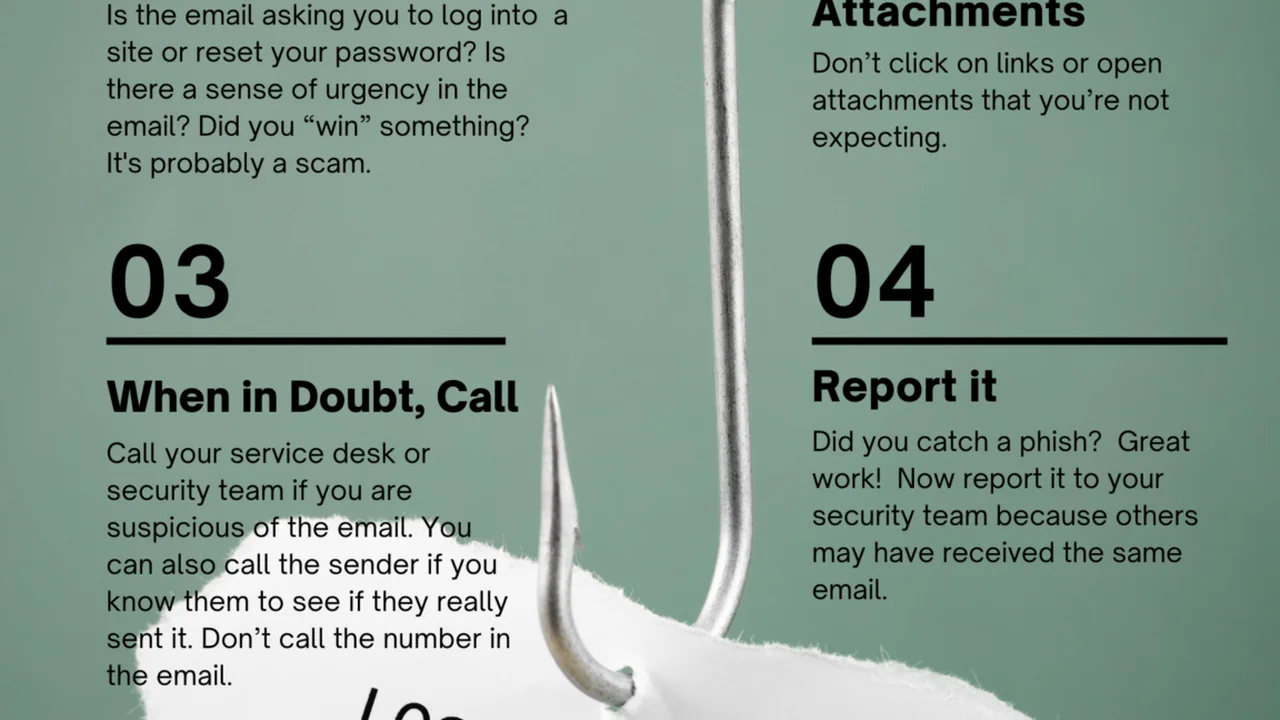
- Phishing Scams: A VPN won’t prevent you from falling victim to phishing emails or fake websites designed to steal your credentials.
- Ransomware: It offers no protection against ransomware attacks that encrypt your files and demand payment.
- Weak Passwords: If your accounts are protected by weak or reused passwords, a VPN won’t prevent them from being compromised.
- Social Engineering: A VPN cannot protect you from being tricked into revealing personal information.
- Website Tracking (beyond IP): While your IP is hidden, websites can still use cookies, browser fingerprinting, and other methods to track your activity.
Building a Comprehensive Cybersecurity Strategy Beyond VPNs
To truly protect yourself online, you need a multi-layered approach:
- Antivirus and Anti-Malware Software: Essential for detecting and removing malicious software.
- Firewall: A network security system that monitors and controls incoming and outgoing network traffic.
- Password Manager: Generates and securely stores strong, unique passwords for all your accounts.
- Multi-Factor Authentication (MFA): Adds an extra layer of security by requiring a second form of verification beyond your password.
- Regular Software Updates: Keep your operating system, browser, and all applications updated to patch security vulnerabilities.
- Ad Blockers and Tracking Protectors: Tools that block intrusive ads and prevent websites from tracking your online activity.
- Email Security: Be vigilant about suspicious emails and links.
- Data Backup: Regularly back up your important data to protect against data loss from ransomware or hardware failure.
Recommended Cybersecurity Tools to Complement Your VPN
Here are some highly-rated tools that work in conjunction with a VPN to provide robust protection:
- Antivirus/Anti-Malware:Bitdefender Total Security: Offers comprehensive protection against all types of malware, ransomware, and phishing. Includes a VPN (limited data) and password manager.Malwarebytes Premium: Excellent for detecting and removing advanced malware, including zero-day threats. Known for its light system impact.Pricing: Bitdefender typically $30-60/year; Malwarebytes Premium around $40-60/year.
- Password Manager:LastPass Premium: Securely stores passwords, generates strong ones, and offers autofill. Includes dark web monitoring.1Password: Known for its strong security features, user-friendly interface, and excellent family plans.Pricing: LastPass Premium around $36/year; 1Password around $36-60/year.
- Ad Blocker/Tracking Protector:uBlock Origin: A free, open-source, and highly efficient ad blocker that also blocks trackers. Available as a browser extension.Brave Browser: A web browser with built-in ad and tracker blocking, offering a faster and more private browsing experience.Pricing: Both are free.
Myth 3 All VPNs Are the Same in Terms of Security and Performance
This is a dangerous misconception. The VPN market is saturated with providers, and their quality, security features, and performance can vary wildly. Assuming all VPNs are equal can lead to choosing an unreliable service that compromises your security.
Key Differentiators Among VPN Providers
Several factors distinguish a high-quality VPN from a subpar one:
- Logging Policy: As discussed, a strict, audited no-logs policy is paramount. Some free VPNs, in particular, have been caught logging and even selling user data.
- Encryption Standards: Look for VPNs that use strong encryption protocols like OpenVPN, WireGuard, or IKEv2/IPsec with AES-256 encryption. Avoid providers using outdated or weak protocols.
- Jurisdiction: The country where the VPN company is based matters. Countries with strong privacy laws and outside of intelligence-sharing alliances (like the 5/9/14 Eyes) are generally preferred.
- Server Network and Speed: A large network of servers across many countries can offer better speeds and more options for bypassing geo-restrictions. Server quality also impacts performance.
- Security Features: Essential features include a kill switch (to prevent data leaks if the VPN connection drops), DNS leak protection, and sometimes advanced features like double VPN or obfuscated servers.
- Audits and Transparency: Reputable VPNs undergo independent security audits of their no-logs policies and infrastructure to prove their claims.
- Customer Support: Responsive and knowledgeable customer support is crucial, especially if you encounter technical issues.
- Pricing Model: Be wary of completely free VPNs, as they often have to monetize their service in other ways, which can include logging and selling user data, or bombarding you with ads.
Comparing VPNs for Specific Needs and Use Cases
Let’s compare a few popular VPNs based on different priorities:
- For Streaming (Netflix, Hulu, etc.):
- ExpressVPN: Consistently ranks as one of the best for streaming due to its fast speeds and ability to reliably unblock major streaming services.
- NordVPN: Also very capable for streaming, with dedicated servers optimized for video.
- CyberGhost: Offers specialized streaming servers for various platforms, making it easy to find a working connection.
- Pricing: ExpressVPN ($6-8/month), NordVPN ($3-5/month), CyberGhost ($2-4/month).
- For Torrenting/P2P Sharing:
- NordVPN: Has dedicated P2P servers and strong security features like a kill switch and DNS leak protection.
- Surfshark: Allows P2P on all servers, offers unlimited simultaneous connections, and has a strict no-logs policy.
- Private Internet Access (PIA): Known for its strong privacy features, large server network, and P2P-friendly policies.
- Pricing: NordVPN ($3-5/month), Surfshark ($2-4/month), PIA ($2-4/month).
- For Bypassing Censorship (e.g., in China):
- ExpressVPN: Its obfuscated servers are highly effective at bypassing the Great Firewall of China and other restrictive networks.
- NordVPN: Offers obfuscated servers designed to hide the fact that you’re using a VPN.
- Astrill VPN: While more expensive, it’s specifically designed for users in highly censored regions and is known for its reliability there.
- Pricing: ExpressVPN ($6-8/month), NordVPN ($3-5/month), Astrill VPN ($10-15/month).
Myth 4 Free VPNs Are Just as Good as Paid Ones
This is a particularly dangerous myth, as relying on a free VPN can often do more harm than good for your privacy and security. While the allure of ‘free’ is strong, the reality is that running a VPN service costs money, and if you’re not paying, you’re likely the product.
The Hidden Costs and Risks of Free VPN Services
Free VPNs often come with significant drawbacks and risks:
- Data Logging and Selling: Many free VPNs log your online activity and sell this data to advertisers or other third parties. This directly contradicts the purpose of using a VPN for privacy.
- Limited Features and Performance: Free VPNs typically offer slower speeds, limited server locations, data caps, and fewer security features (e.g., no kill switch, weaker encryption). This makes them unsuitable for streaming, torrenting, or even general browsing.
- Intrusive Ads: To monetize their service, free VPNs often inject ads into your browsing experience, which can be annoying and even malicious.
- Malware and Viruses: Some free VPN apps have been found to contain malware or trackware, compromising your device’s security.
- IP Leaks: Due to poor implementation, many free VPNs suffer from IP or DNS leaks, exposing your real identity.
- Overcrowded Servers: With a large user base and limited resources, free VPN servers are often overcrowded, leading to extremely slow speeds and unreliable connections.
Why Investing in a Paid VPN is Worth It for Digital Privacy
Paid VPNs, on the other hand, offer a superior experience and genuine privacy protection:
- Strict No-Logs Policies: Reputable paid VPNs have audited no-logs policies, meaning they don’t track or store your online activities.
- Strong Encryption and Security Features: They use industry-standard encryption (AES-256) and offer essential security features like a kill switch, DNS leak protection, and various protocols.
- Fast Speeds and Unlimited Bandwidth: Paid VPNs invest in robust server infrastructure, providing fast, stable connections and no data limits.
- Large Server Networks: Access to thousands of servers in numerous countries, allowing you to bypass geo-restrictions and find optimal connections.
- Dedicated Customer Support: Access to professional customer support for any issues or questions.
- No Ads: Enjoy an ad-free browsing experience.
- Multiple Device Support: Most paid VPNs allow you to connect multiple devices simultaneously with a single subscription.
Comparison Free vs Paid VPNs
Let’s look at a quick comparison:
| Feature | Free VPN | Paid VPN |
|---|---|---|
| Privacy | Often compromised (logging, selling data) | Strong (audited no-logs policies) |
| Security | Weak encryption, IP leaks, malware risk | Strong encryption, kill switch, DNS leak protection |
| Speed | Slow, throttled, unreliable | Fast, consistent, optimized |
| Data Limits | Often severe data caps | Unlimited bandwidth |
| Server Network | Limited locations, overcrowded | Extensive global network |
| Ads | Frequent and intrusive | None |
| Customer Support | Limited or non-existent | 24/7 professional support |
| Price | Free (but you pay with your data/privacy) | Subscription fee (typically $2-10/month) |
Reputable Free VPNs (with caveats)
While generally not recommended for serious privacy, some free VPNs are more trustworthy than others, often offered by reputable paid providers as a limited version of their service:
- Proton VPN Free:
- Features: Unlimited data, strong encryption, no logs, based in Switzerland.
- Limitations: Limited server locations (US, Netherlands, Japan), slower speeds, no P2P support.
- Use Case: Good for basic browsing and occasional privacy needs, but not for streaming or heavy usage.
- TunnelBear Free:
- Features: User-friendly interface, audited, good security.
- Limitations: 500MB data cap per month (can be increased to 1GB with a tweet).
- Use Case: Excellent for testing out a VPN or for very light, occasional use.
Myth 5 VPNs Are Only for Tech-Savvy Users or Illegal Activities
This myth often deters average users from adopting VPNs, believing they are too complex or only necessary for illicit purposes. The reality is that VPNs are for everyone who uses the internet, and they are incredibly easy to use.
The Accessibility and Legitimate Uses of VPNs for Everyone
VPNs have become incredibly user-friendly, with intuitive apps for all major platforms (Windows, macOS, Android, iOS, Linux, routers). Setting up and connecting to a VPN is often as simple as downloading an app, logging in, and clicking a ‘connect’ button.
The legitimate uses of VPNs are vast and benefit almost every internet user:
- Protecting Privacy: Prevents ISPs, advertisers, and governments from monitoring your online activities.
- Securing Public Wi-Fi: Essential for anyone using Wi-Fi in cafes, airports, hotels, or other public places.
- Bypassing Geo-Restrictions: Accessing streaming services, news, or websites that are unavailable in your region.
- Safe Torrenting: Protecting your identity while engaging in peer-to-peer file sharing.
- Avoiding Price Discrimination: Some online retailers and airlines show different prices based on your location. A VPN can help you find better deals.
- Gaming: Reducing lag, protecting against DDoS attacks, and accessing region-locked games.
- Remote Work: Securely accessing company networks and resources from home or while traveling.
- Journalism and Activism: Protecting sources and communicating securely in restrictive environments.
VPNs for Everyday Users Simple Setup and Benefits
Let’s look at how easy it is to use a VPN with a popular provider like NordVPN:
- Sign Up: Visit the NordVPN website and choose a subscription plan.
- Download App: Download the NordVPN app for your device (Windows, Mac, Android, iOS, etc.).
- Install and Log In: Install the app and log in with your credentials.
- Connect: Click the ‘Quick Connect’ button to automatically connect to the fastest available server, or choose a specific country from the server list.
- Browse Securely: Once connected, your internet traffic is encrypted, and your IP address is hidden.
It’s that simple! No technical expertise is required.
Recommended User-Friendly VPNs
- Surfshark:
- Features: Unlimited simultaneous connections, clean and intuitive interface, Whitelister (split tunneling), CleanWeb (ad/malware blocker).
- Use Case: Perfect for families or individuals with many devices who want a straightforward, feature-rich VPN.
- Pricing: Very competitive, often around $2-4 per month for long-term plans.
- CyberGhost:
- Features: User-friendly apps, dedicated servers for streaming and torrenting, 7 simultaneous connections.
- Use Case: Great for beginners who want a VPN that’s easy to navigate and has clear options for specific activities.
- Pricing: Around $2-4 per month for long-term plans.
- ExpressVPN:
- Features: Extremely easy-to-use apps across all platforms, one-click connect, excellent performance.
- Use Case: Ideal for users who prioritize simplicity and reliability above all else, even if it comes at a slightly higher price.
- Pricing: Often around $6-8 per month for annual plans.
By debunking these common VPN myths, we hope to have provided a clearer understanding of what VPNs are, what they do, and how they fit into a comprehensive digital security strategy. Remember, a VPN is a powerful tool, but it’s most effective when used in conjunction with other cybersecurity best practices and a clear understanding of its capabilities and limitations. Stay informed, stay secure, and take control of your online privacy.