Discover five critical methods to protect your Social Security Number from identity thieves. Secure your most sensitive personal data.
Discover five critical methods to protect your Social Security Number from identity thieves. Secure your most sensitive personal data.
5 Ways to Secure Your Social Security Number Online and Offline
Your Social Security Number (SSN) is arguably one of the most critical pieces of personal information you possess. In the United States, it’s a nine-digit number issued to citizens and permanent residents, primarily used to track earnings and benefits. However, its widespread use has also made it a prime target for identity thieves. With your SSN, criminals can open credit accounts, file fraudulent tax returns, steal your medical benefits, and even get a job in your name. Protecting your SSN is paramount in safeguarding your financial health and overall identity. This isn’t just about being careful online; it’s about being vigilant in every aspect of your life. Let’s dive into five critical methods to protect your Social Security Number, both in the digital realm and the physical world.
1. Limit Who You Share Your SSN With and Why
This might sound obvious, but many people are still too quick to hand over their SSN without questioning why it’s needed. The truth is, very few entities genuinely require your SSN. Often, organizations ask for it out of habit or convenience, not necessity. Before you provide your SSN, always ask two crucial questions: “Why do you need my SSN?” and “What will you do to protect it?”
When is it Generally Safe to Provide Your SSN?
- Employment: Your employer needs your SSN for tax purposes (W-2 forms) and to report your earnings to the IRS.
- Banking and Financial Institutions: When opening a bank account, applying for a loan, or investing, financial institutions use your SSN to verify your identity and check your credit history.
- Government Agencies: The IRS for tax filing, the Social Security Administration for benefits, and state DMVs for driver’s licenses often require your SSN.
- Credit Applications: Applying for credit cards, mortgages, or other loans necessitates your SSN for credit checks.
- Healthcare Providers (sometimes): While not always required, some healthcare providers may ask for your SSN for billing or insurance purposes. You can often provide your health insurance ID instead.
When You Should Be Wary or Refuse to Provide Your SSN:
- Retailers: No store needs your SSN for a purchase, even for returns or loyalty programs.
- Landlords (sometimes): While some landlords might ask for it for a credit check, you can often offer alternatives like bank statements or previous landlord references. If they insist, ensure they have a secure method for handling sensitive data.
- Schools and Universities: While some might ask for it for financial aid applications, it’s rarely needed for general enrollment.
- Unsolicited Calls or Emails: Never give your SSN over the phone or via email to someone who contacts you unexpectedly, even if they claim to be from a legitimate organization like the IRS or Social Security Administration. These are common phishing scams.
- Social Media or Online Forms (unless highly secure): Be extremely cautious about entering your SSN into any online form unless you are absolutely certain of the website’s legitimacy and security (look for ‘https’ and a padlock icon).
If an organization insists on your SSN and you’re uncomfortable, ask if you can provide an alternative form of identification or if they can use a different identifier. Sometimes, a partial SSN (last four digits) might suffice for verification purposes.
2. Secure Your Physical Documents and Mail Containing Your SSN
Identity theft isn’t just a digital problem. Many criminals still rely on old-fashioned methods like dumpster diving or mail theft to get their hands on your SSN. Protecting physical documents is just as crucial as online security.
Protecting Your Social Security Card:
- Don’t Carry It: Your Social Security card should not be in your wallet or purse unless you are specifically going to use it for an official purpose (e.g., starting a new job). Once that purpose is fulfilled, store it in a secure location at home.
- Secure Storage: Keep your card, and any documents containing your SSN, in a locked safe, a secure filing cabinet, or a bank safe deposit box.
- Memorize It: If you need to know your SSN frequently, memorize it. This reduces the need to carry the physical card.
Handling Documents with Your SSN:
- Shred Sensitive Documents: Any document containing your SSN, account numbers, or other sensitive information should be shredded before being thrown away. Invest in a cross-cut shredder for maximum security. This includes old tax returns, bank statements, medical bills, and credit card offers.
- Monitor Your Mail: Be vigilant about incoming mail. If you’re expecting a document with your SSN (like a W-2 or tax refund), and it doesn’t arrive, contact the sender immediately. Consider a locked mailbox if mail theft is a concern in your area.
- Be Wary of Public Displays: Avoid writing your SSN on checks, medical forms (if not absolutely required), or any document that might be publicly visible.
Recommended Shredders for Home Use:
- AmazonBasics 12-Sheet Cross-Cut Paper Shredder: A popular and affordable option for home use, capable of shredding paper, credit cards, and even CDs/DVDs. It offers a good balance of price and performance for everyday document destruction.
- Fellowes Powershred 79Ci 16-Sheet Cross-Cut Shredder: A more robust option for heavier use, featuring jam protection and quiet operation. Ideal for those with a larger volume of sensitive documents.
- Bonsaii EverShred C149-C 18-Sheet Cross-Cut Shredder: Known for its continuous run time and high sheet capacity, making it suitable for small home offices or individuals who need to shred large batches of documents at once.
Usage Scenario: Imagine you’re cleaning out old files. Instead of tossing old utility bills, bank statements, or expired insurance policies directly into the trash, run them through a cross-cut shredder. This simple act prevents identity thieves from piecing together your personal information from discarded documents.
3. Monitor Your Credit Reports and Financial Accounts Regularly
Even with the best precautions, identity theft can still happen. Regular monitoring of your credit reports and financial accounts is your early warning system. This allows you to detect fraudulent activity quickly and take action before significant damage occurs.
Free Credit Reports:
You are entitled to one free credit report annually from each of the three major credit bureaus: Equifax, Experian, and TransUnion. You can access these reports through AnnualCreditReport.com. It’s a good practice to stagger your requests, pulling one report every four months, so you can monitor your credit throughout the year.
What to Look For in Your Credit Report:
- Accounts You Don’t Recognize: New credit cards, loans, or lines of credit opened in your name that you didn’t authorize.
- Inaccurate Personal Information: Incorrect addresses, names, or employers.
- Hard Inquiries You Didn’t Authorize: These occur when someone applies for credit in your name.
- Collections or Delinquent Accounts: Accounts that show late payments or have gone to collections that aren’t yours.
Financial Account Monitoring:
- Review Bank and Credit Card Statements: Scrutinize every transaction. Look for small, unfamiliar charges, as these can be test charges by thieves to see if an account is active.
- Set Up Alerts: Most banks and credit card companies offer free alerts for suspicious activity, large transactions, or when your card is used online.
- Check Your Social Security Earnings Statement: You can create an account at ssa.gov/myaccount to review your earnings statement. This helps ensure no one is using your SSN for employment.
Credit Monitoring Services:
While you can monitor your credit for free, credit monitoring services offer continuous surveillance and alerts. They typically notify you of suspicious activity much faster than you might discover it on your own. Here are a few popular options:
- IdentityForce: Offers comprehensive identity theft protection, including credit monitoring from all three bureaus, dark web monitoring, and identity theft insurance. It’s known for its robust features and quick alerts.
- LifeLock (by Norton): One of the most recognized names, LifeLock provides credit monitoring, SSN alerts, dark web monitoring, and identity restoration services. They offer various plans with different levels of coverage.
- Experian IdentityWorks: Directly from one of the credit bureaus, this service offers Experian credit monitoring, FICO score tracking, and dark web surveillance. It’s a good option if you want to focus on Experian’s data.
- Credit Karma: While not a full identity theft protection service, Credit Karma offers free credit monitoring from TransUnion and Equifax, providing alerts for significant changes to your credit report. It’s a great free tool for basic monitoring.
Comparison and Pricing (Approximate, as of late 2023/early 2024):
| Service | Key Features | Approx. Monthly Price Range | Best For |
|---|---|---|---|
| IdentityForce | 3-Bureau Credit Monitoring, Dark Web Monitoring, Identity Theft Insurance, Identity Restoration | $17.99 – $23.99 | Comprehensive protection, quick alerts, robust features. |
| LifeLock (by Norton) | Credit Monitoring (1 or 3 bureaus), SSN Alerts, Dark Web Monitoring, Identity Restoration, VPN (higher tiers) | $9.99 – $34.99 | Brand recognition, wide range of plans, bundled security features. |
| Experian IdentityWorks | Experian Credit Monitoring, FICO Score, Dark Web Monitoring, Identity Theft Insurance | $9.99 – $19.99 | Individuals focused on Experian data, direct access to one bureau. |
| Credit Karma | Free Credit Monitoring (TransUnion & Equifax), Credit Score, Financial Insights | Free | Basic, free credit monitoring for early detection. |
Usage Scenario: You receive an alert from your credit monitoring service about a new credit card application in your name that you didn’t initiate. This immediate notification allows you to contact the credit bureau and the potential creditor to stop the fraudulent application before it’s approved, saving you countless hours of identity theft recovery.
4. Consider a Credit Freeze or Fraud Alert
If you’re particularly concerned about identity theft, or if you’ve already been a victim, a credit freeze or fraud alert can provide an extra layer of protection. These tools restrict access to your credit report, making it harder for identity thieves to open new accounts in your name.
Credit Freeze (Security Freeze):
A credit freeze locks down your credit report, preventing lenders from accessing it. Since most creditors require access to your credit report to approve new credit, a freeze makes it very difficult for identity thieves to open new accounts in your name. You must place a freeze with each of the three major credit bureaus individually.
How to Place a Credit Freeze:
Contact each credit bureau directly:
- Equifax: Equifax Credit Freeze
- Experian: Experian Security Freeze
- TransUnion: TransUnion Credit Freeze
You will need to provide personal information to verify your identity. Freezing your credit is free and can be lifted temporarily or permanently when you need to apply for new credit.
Pros of a Credit Freeze:
- Strongest Protection: It’s the most effective way to prevent new account fraud.
- Free: It costs nothing to place or lift a freeze.
Cons of a Credit Freeze:
- Inconvenience: You must temporarily lift the freeze each time you apply for new credit (e.g., a new credit card, mortgage, or car loan), which requires planning.
- Doesn’t Prevent All Fraud: It won’t stop thieves from using existing accounts or filing fraudulent tax returns.
Fraud Alert:
A fraud alert places a note on your credit report, advising lenders to take extra steps to verify your identity before extending credit. Unlike a freeze, it doesn’t block access to your report, but it adds a hurdle for potential fraudsters. You only need to place a fraud alert with one of the three credit bureaus, and that bureau will notify the other two.
Types of Fraud Alerts:
- Initial Fraud Alert: Lasts for one year. You can renew it.
- Extended Fraud Alert: If you’ve been a victim of identity theft and filed a police report, you can place an extended fraud alert, which lasts for seven years.
- Active Duty Military Fraud Alert: For active duty military personnel, this alert lasts for one year and can be renewed.
How to Place a Fraud Alert:
Contact any one of the three credit bureaus:
- Equifax: 1-800-525-6285
- Experian: 1-888-397-3742
- TransUnion: 1-800-680-7289
Pros of a Fraud Alert:
- Less Restrictive: You don’t need to lift it every time you apply for credit.
- Free: Also free to place.
Cons of a Fraud Alert:
- Less Secure: Lenders might still approve credit if they don’t adequately verify your identity.
- Doesn’t Prevent All Fraud: Similar to a freeze, it doesn’t stop all types of identity theft.
Usage Scenario: You’re planning to buy a new car in a few months. Instead of a credit freeze, you might opt for a fraud alert. This adds a layer of protection without the hassle of unfreezing and refreezing your credit when you’re ready to apply for a car loan. However, if you’re not planning any major credit applications soon and want maximum security, a credit freeze is the better choice.
5. Be Wary of Phishing Scams and Secure Your Online Accounts
The digital world is a breeding ground for phishing scams designed to trick you into revealing your SSN and other sensitive information. A strong defense against these tactics, combined with robust online account security, is essential.
Recognizing and Avoiding Phishing Scams:
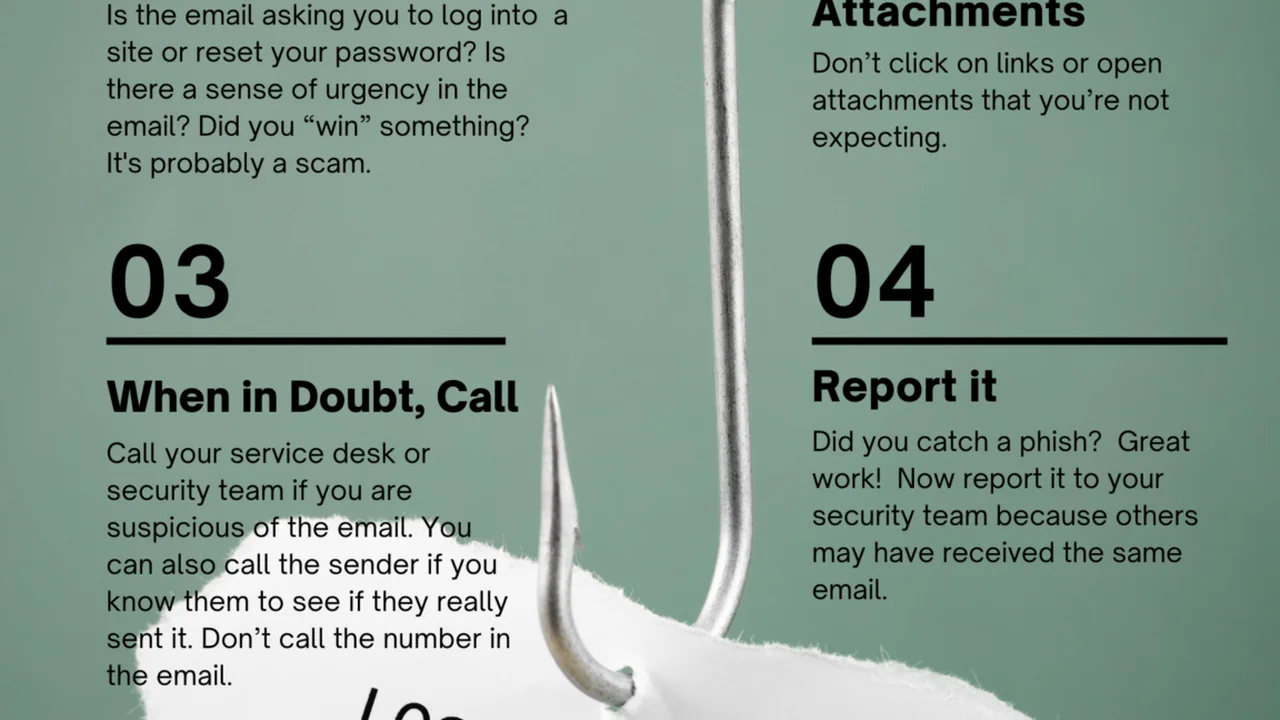
- Unsolicited Communications: Be suspicious of emails, texts, or calls that ask for your SSN, bank account details, or passwords, especially if they come out of the blue.
- Urgency and Threats: Scammers often create a sense of urgency or threaten negative consequences (e.g., arrest, account closure) to pressure you into acting quickly without thinking.
- Generic Greetings: Legitimate organizations usually address you by name. Generic greetings like “Dear Customer” can be a red flag.
- Poor Grammar and Spelling: Many phishing emails contain obvious grammatical errors or typos.
- Suspicious Links: Hover over links before clicking to see the actual URL. If it doesn’t match the sender’s legitimate website, don’t click it.
- Spoofed Sender Addresses: Scammers can make emails appear to come from legitimate sources. Always check the full sender’s email address.
Securing Your Online Accounts:
- Strong, Unique Passwords: Use a complex password (a mix of uppercase, lowercase, numbers, and symbols) for every online account. Never reuse passwords. A password manager can help you manage these.
- Multi-Factor Authentication (MFA): Enable MFA (also known as two-factor authentication or 2FA) on every account that offers it. This adds an extra layer of security, typically requiring a code from your phone or a biometric scan in addition to your password.
- Regular Software Updates: Keep your operating system, web browser, antivirus software, and all applications updated. Updates often include critical security patches that protect against known vulnerabilities.
- Secure Wi-Fi: Avoid conducting sensitive transactions (like banking or shopping) on public Wi-Fi networks, which are often unsecured. If you must, use a Virtual Private Network (VPN) to encrypt your connection.
- Review Privacy Settings: Regularly check the privacy settings on your social media accounts and other online services. Limit the amount of personal information you share publicly.
Recommended Password Managers:
- LastPass: A popular cloud-based password manager that offers strong encryption, automatic password generation, and cross-device syncing. It has a free tier and premium options.
- 1Password: Known for its robust security features, user-friendly interface, and strong focus on privacy. It’s a premium service but highly regarded.
- Bitwarden: An open-source password manager that offers excellent security and a generous free tier. It’s a great choice for those who prioritize open-source solutions.
- Dashlane: Offers a comprehensive suite of features including password management, dark web monitoring, and a built-in VPN in its premium plans.
Comparison and Pricing (Approximate, as of late 2023/early 2024):
| Service | Key Features | Approx. Monthly/Annual Price Range | Best For |
|---|---|---|---|
| LastPass | Password storage, auto-fill, password generator, secure notes, free tier available. | Free / $3-$4 per month (Premium) | Individuals and families seeking a balance of features and affordability. |
| 1Password | Advanced security, travel mode, secure document storage, family plans. | $2.99 – $4.99 per month | Users prioritizing top-tier security and a polished user experience. |
| Bitwarden | Open-source, end-to-end encryption, self-hosting option, free tier available. | Free / $10-$40 per year (Premium) | Tech-savvy users, those who prefer open-source, budget-conscious. |
| Dashlane | Password management, dark web monitoring, VPN (premium), auto-fill. | Free / $3-$6 per month (Premium) | Users wanting an all-in-one security solution with extra features. |
Usage Scenario: You receive an email claiming to be from the IRS, threatening legal action if you don’t immediately click a link and provide your SSN to verify your tax information. Recognizing the red flags (urgency, threat, unsolicited nature), you delete the email without clicking. Instead, you navigate directly to the official IRS website if you have concerns, or call them using a number from their official site, not from the suspicious email.
Bonus Tip: Consider an Identity Protection Service
While the five methods above are crucial for proactive protection, an identity protection service can offer an additional layer of security, especially for those who want comprehensive monitoring and assistance in case of identity theft. These services often combine several protective measures into one package.
What Identity Protection Services Offer:
- Credit Monitoring: Often includes all three bureaus and more frequent updates than free services.
- Dark Web Monitoring: Scans the dark web for your personal information (SSN, credit card numbers, email addresses) that may have been compromised in data breaches.
- SSN Monitoring: Alerts you if your SSN is used in applications or databases.
- Identity Restoration Services: If your identity is stolen, these services provide experts who will help you navigate the complex process of restoring your identity, contacting creditors, and filing necessary paperwork.
- Identity Theft Insurance: Covers expenses related to identity theft recovery, such as legal fees, lost wages, and notary fees.
Leading Identity Protection Services:
We briefly touched on some credit monitoring services earlier, but here are a few that offer more comprehensive identity protection:
- Identity Guard: Known for its AI-powered threat detection and comprehensive monitoring, including SSN, dark web, and bank account monitoring. They offer various plans for individuals and families.
- IDShield: Provides 3-bureau credit monitoring, dark web surveillance, and a unique feature of licensed private investigators to help restore your identity.
- Aura: A newer player that bundles identity theft protection, credit monitoring, a VPN, and antivirus software into one subscription, aiming for an all-in-one digital security solution.
Comparison and Pricing (Approximate, as of late 2023/early 2024):
| Service | Key Features | Approx. Monthly Price Range | Best For |
|---|---|---|---|
| Identity Guard | AI-powered monitoring, 3-Bureau Credit Monitoring, Dark Web Monitoring, Identity Restoration, Insurance. | $7.50 – $29.99 | Comprehensive, proactive monitoring with advanced threat detection. |
| IDShield | 3-Bureau Credit Monitoring, Dark Web Monitoring, Licensed Private Investigators for Restoration, Insurance. | $14.95 – $34.95 | Those who value expert assistance in identity restoration. |
| Aura | All-in-one: Identity Protection, Credit Monitoring, VPN, Antivirus, Password Manager, Insurance. | $12 – $30 per month | Users seeking a bundled solution for all their digital security needs. |
Usage Scenario: You’re a busy professional with limited time to manually monitor all your accounts. Subscribing to a service like Identity Guard or Aura provides peace of mind, knowing that experts are continuously scanning for threats and will assist you if your SSN or other personal data is compromised. This allows you to focus on your work and life, while your digital identity is under constant watch.
Protecting your Social Security Number requires a multi-faceted approach, combining vigilance, smart habits, and leveraging available tools. By implementing these five critical methods, you significantly reduce your risk of identity theft and safeguard your most sensitive personal data in an increasingly complex digital and physical world.