A practical guide on how to respond and protect your data after a data breach. Minimize risks and secure your accounts.
A practical guide on how to respond and protect your data after a data breach. Minimize risks and secure your accounts.
Data Breach Survival Guide How to Protect Yourself Post-Breach
Understanding the Immediate Aftermath of a Data Breach
So, you’ve just heard the news: a company you trust, perhaps even one you’ve given a lot of your personal information to, has suffered a data breach. Your first reaction might be panic, and that’s totally understandable. It’s a scary situation, knowing that your sensitive data – whether it’s your email, password, credit card number, or even your Social Security number – might be out there in the wild. But don’t fret too much just yet. The most important thing is to act quickly and methodically. This isn’t a time for burying your head in the sand; it’s a time for proactive defense.
The immediate aftermath of a data breach can feel overwhelming. You might receive an email notification, see a news report, or even get a letter in the mail. Regardless of how you find out, the first step is to confirm the breach. Is the notification legitimate? Scammers often use data breach alerts as a phishing tactic. Always go directly to the company’s official website or trusted news sources to verify the information. Once confirmed, it’s time to roll up your sleeves and get to work protecting yourself.
Step 1 Change Your Passwords Immediately and Strategically
This is probably the most crucial and immediate action you can take. If the breached service stored your password (even if it was hashed or encrypted), or if you used the same password for other accounts, you’re at risk. But don’t just change that password. Think strategically.
Prioritizing Password Changes for Maximum Security
Start with your most critical accounts. What are these? Your email accounts (especially the one linked to password resets for other services), banking and financial institutions, social media profiles, and any e-commerce sites where you have stored payment information. These are the crown jewels of your digital life.
For each of these accounts, create a new, strong, and unique password. What makes a password strong? It should be long (at least 12-16 characters), include a mix of uppercase and lowercase letters, numbers, and symbols. Avoid easily guessable information like your name, birthdate, or common words. And here’s the kicker: never reuse passwords. This is where a password manager becomes your best friend.
Leveraging Password Managers for Enhanced Protection
A password manager is an application that stores all your login credentials securely, usually encrypted with a single master password. It can generate strong, unique passwords for you and automatically fill them in when you visit websites. This eliminates the need to remember dozens of complex passwords and significantly reduces your risk if one service is breached.
Some popular and highly-rated password managers include:
- LastPass: Offers a robust free tier and comprehensive paid plans. It’s cloud-based, meaning your passwords are synced across devices. It’s known for its user-friendly interface and strong security features. Price: Free for one device type, Premium from $3/month.
- 1Password: A favorite among security experts, 1Password offers excellent security and a sleek interface. It’s not free, but its family and business plans are very popular. It stores your data locally and syncs via its own secure protocol or cloud services. Price: From $2.99/month.
- Bitwarden: An open-source option that’s highly praised for its security and affordability. It offers a very generous free tier that includes syncing across all devices. It’s a great choice for those who prioritize open-source software and strong encryption. Price: Free, Premium from $10/year.
- Dashlane: Known for its intuitive design and additional features like VPN and dark web monitoring in its premium plans. It offers a free tier for one device. Price: Free for one device, Premium from $3.99/month.
When choosing a password manager, consider factors like ease of use, security features (e.g., two-factor authentication for the master password), cross-device compatibility, and pricing. The investment in a good password manager is minimal compared to the headache of identity theft.
Step 2 Enable Two-Factor Authentication MFA Everywhere Possible
Changing your passwords is a great start, but it’s not enough on its own. Even with a strong, unique password, if a hacker gets their hands on it, they’re in. That’s where two-factor authentication (2FA), also known as multi-factor authentication (MFA), comes in. It adds an extra layer of security by requiring a second piece of information – something you have – in addition to something you know (your password).
Types of Two-Factor Authentication for Enhanced Account Security
Common types of 2FA include:
- SMS codes: A code sent to your phone via text message. While convenient, it’s generally considered less secure than other methods due to SIM-swapping attacks.
- Authenticator apps: Apps like Google Authenticator, Microsoft Authenticator, or Authy generate time-sensitive codes. These are generally more secure than SMS.
- Hardware security keys: Physical devices like YubiKey that you plug into your computer or tap to your phone. These are considered the most secure form of 2FA.
- Biometrics: Fingerprint or facial recognition.
Enable 2FA on every account that offers it, especially your email, banking, and social media. If a hacker somehow gets your password, they still won’t be able to log in without that second factor.
Recommended Authenticator Apps and Hardware Keys
- Authy: A popular authenticator app that offers cloud backup and multi-device syncing, making it more convenient than some other options. It’s free to use.
- Google Authenticator: Simple, straightforward, and widely supported. It’s free but doesn’t offer cloud backup, so if you lose your phone, recovering your 2FA codes can be tricky.
- Microsoft Authenticator: Similar to Google Authenticator but integrates well with Microsoft accounts and offers cloud backup. Also free.
- YubiKey: For the highest level of security, a hardware security key like a YubiKey is unmatched. You physically tap or plug it in to authenticate. They come in various models, with prices ranging from $25 to $70 depending on features (e.g., USB-A, USB-C, NFC).
Step 3 Monitor Your Financial Accounts and Credit Reports Diligently
If financial information was compromised in the breach, this step is absolutely critical. Even if it wasn’t, it’s still a good practice, as data breaches can sometimes lead to other forms of identity theft.
Regularly Reviewing Bank and Credit Card Statements
Go through your bank and credit card statements with a fine-tooth comb. Look for any unfamiliar transactions, no matter how small. Fraudsters often start with small purchases to test if a card is active before making larger ones. Report any suspicious activity to your bank or credit card company immediately. They usually have fraud protection policies that will cover unauthorized charges.
Understanding Credit Monitoring and Freezing Your Credit
Credit monitoring services track your credit report for suspicious activity and alert you to changes, such as new accounts being opened in your name or significant changes to your credit score. Many identity theft protection services include credit monitoring as part of their package.
However, the most powerful tool you have is a credit freeze. This prevents anyone, including you, from opening new credit accounts in your name. It essentially locks down your credit report, making it much harder for identity thieves to take out loans or credit cards. You can temporarily lift the freeze if you need to apply for credit yourself. Freezing your credit is free and can be done with each of the three major credit bureaus:
- Equifax: Equifax Credit Freeze
- Experian: Experian Credit Freeze
- TransUnion: TransUnion Credit Freeze
It’s a bit of a hassle to manage, but it’s incredibly effective at preventing new account fraud. Consider placing a credit freeze if your Social Security number or other highly sensitive personal information was exposed.
Step 4 Be Wary of Phishing and Scams Targeting Breach Victims
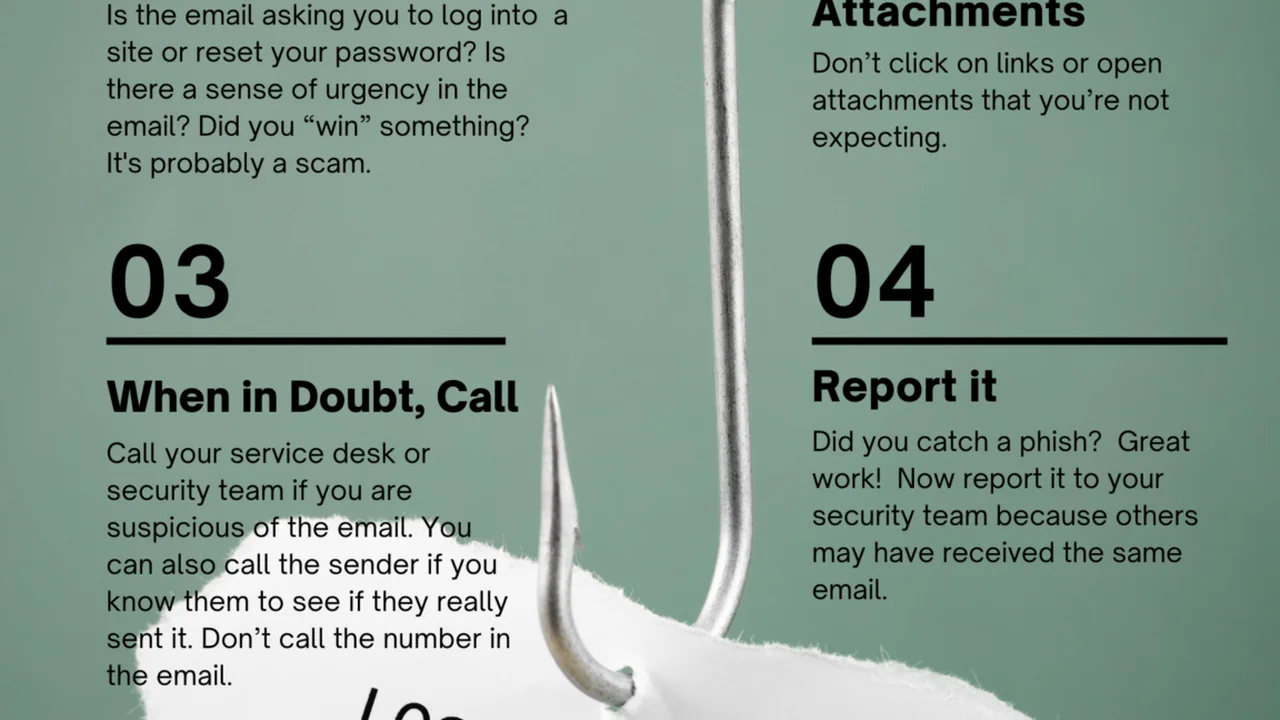
Cybercriminals are opportunistic. When a major data breach occurs, they often capitalize on the fear and confusion by sending out phishing emails or text messages pretending to be the breached company, your bank, or even a government agency. These messages will try to trick you into revealing more personal information or clicking on malicious links.
Identifying and Avoiding Phishing Attempts
Always be skeptical of unsolicited communications. Look for red flags:
- Generic greetings: ‘Dear Customer’ instead of your name.
- Urgent or threatening language: ‘Your account will be suspended if you don’t act now!’
- Poor grammar and spelling: A common sign of a scam.
- Suspicious links: Hover over links to see the actual URL before clicking. Does it match the company’s official website?
- Requests for personal information: Legitimate companies rarely ask for sensitive information like passwords or Social Security numbers via email.
If you receive a suspicious email, do not click on any links or open attachments. Instead, go directly to the company’s official website by typing the URL into your browser, or contact them via a phone number you know is legitimate (not one provided in the suspicious email).
Step 5 Consider Identity Theft Protection Services for Ongoing Vigilance
While the steps above are crucial for immediate protection, identity theft protection services offer ongoing monitoring and assistance. These services typically include credit monitoring, dark web monitoring, identity restoration services, and sometimes identity theft insurance.
Comparing Top Identity Theft Protection Services
Here are a few highly-rated identity theft protection services:
- IdentityForce: Often praised for its comprehensive features, including advanced fraud monitoring, dark web monitoring, and robust identity restoration services. It offers a strong mobile app and alerts. Price: From $17.99/month.
- LifeLock (by Norton): One of the most well-known services, LifeLock offers various tiers of protection, including credit monitoring, dark web scanning, and identity restoration. It can be bundled with Norton antivirus. Price: From $9.99/month for basic plans.
- IDShield: Provides comprehensive monitoring, including credit, dark web, and social media. It also offers a dedicated licensed private investigator for identity restoration, which is a significant advantage. Price: From $14.95/month.
- Aura: A newer player that bundles identity theft protection with a VPN, antivirus, and password manager. It aims to be an all-in-one digital security solution. Price: From $12/month.
What to Look for in an Identity Theft Protection Service
When evaluating these services, consider:
- Monitoring scope: What types of information do they monitor (credit, dark web, public records, social media)?
- Alerts: How quickly and effectively do they notify you of suspicious activity?
- Restoration services: Do they offer hands-on assistance to help you recover your identity if it’s stolen? This is often the most valuable feature.
- Insurance: What is the coverage amount for expenses related to identity theft?
- Cost: Compare pricing plans and what’s included in each tier.
While these services come with a monthly fee, they can provide peace of mind and expert assistance if the worst happens. They are particularly valuable if your Social Security number or other highly sensitive data was compromised.
Step 6 Review and Adjust Your Privacy Settings Across All Platforms
A data breach is a stark reminder of how much information we share online. Take this opportunity to review and tighten your privacy settings on all your online accounts, especially social media.
Optimizing Social Media Privacy for Data Minimization
Go through Facebook, Instagram, Twitter, LinkedIn, and any other platforms you use. Limit who can see your posts, photos, and personal information. Turn off location tracking. Be mindful of what you share publicly. The less information that’s easily accessible, the less there is for potential identity thieves to gather.
Understanding Data Collection and Opt-Out Options
Many websites and apps collect vast amounts of data about you. Look for options to limit data collection or opt out of targeted advertising. While it might not prevent a breach, it reduces your overall digital footprint, making you a less attractive target for data harvesting.
Step 7 Be Patient and Persistent in Your Recovery Efforts
Recovering from a data breach or identity theft isn’t a quick fix. It can be a long and frustrating process, sometimes taking months or even years to fully resolve. Be prepared for persistence.
Keeping Detailed Records of All Communications and Actions
Document everything. Keep a log of all phone calls, emails, and letters related to the breach. Note down dates, times, who you spoke to, and what was discussed. This documentation will be invaluable if you need to dispute fraudulent charges or prove your case to authorities.
Seeking Professional Help When Necessary
If you find yourself overwhelmed or if identity theft occurs, don’t hesitate to seek professional help. Identity theft protection services often include restoration specialists. You can also contact government agencies like the Federal Trade Commission (FTC) in the US, which offers resources and guidance for identity theft victims.
A data breach is a wake-up call, but it doesn’t have to be a disaster. By taking these proactive steps – changing passwords, enabling 2FA, monitoring your finances, being vigilant against scams, and considering identity protection services – you can significantly minimize your risk and protect your digital life. Stay informed, stay vigilant, and take control of your online security.