Explore endpoint security solutions to protect all your devices, from laptops to smartphones, against diverse cyber threats.
Explore endpoint security solutions to protect all your devices, from laptops to smartphones, against diverse cyber threats.
Endpoint Security Solutions Protecting All Your Devices
Hey there! In today’s super-connected world, pretty much everyone has a bunch of devices. Think about it: your laptop for work or school, your smartphone for everything else, maybe a tablet, and even smartwatches. Each of these ‘endpoints’ is a potential doorway for cyber threats. That’s where endpoint security comes in – it’s all about protecting these individual devices from getting hacked, infected, or compromised. It’s not just for big businesses anymore; it’s crucial for individuals and small businesses too. Let’s dive deep into what endpoint security is, why it’s so important, and what solutions are out there to keep all your gadgets safe and sound.
What Exactly is Endpoint Security Understanding the Basics
So, what are we talking about when we say ‘endpoint security’? Simply put, an endpoint is any device that connects to a network. This includes your desktop computers, laptops, smartphones, tablets, servers, and even IoT (Internet of Things) devices. Endpoint security refers to the methods and tools used to protect these devices from cyber threats. It’s a bit like having a personal bodyguard for each of your devices, making sure no bad guys get in.
Traditional antivirus software used to be the go-to, but today’s threats are way more sophisticated. We’re talking about ransomware, phishing attacks, zero-day exploits, and advanced persistent threats (APTs). Modern endpoint security solutions go way beyond just scanning for known viruses. They use advanced techniques like artificial intelligence (AI), machine learning (ML), and behavioral analysis to detect and block even brand-new, never-before-seen threats.
Why Endpoint Protection Matters More Than Ever The Threat Landscape
You might be thinking, ‘I have antivirus, isn’t that enough?’ The short answer is, probably not. The cyber threat landscape is constantly evolving, and attackers are getting smarter. Here’s why robust endpoint protection is non-negotiable:
- Remote Work and Hybrid Models: More people are working from home or in hybrid setups. This means devices are often connecting to less secure home networks, making them easier targets.
- Sophisticated Attacks: As mentioned, threats like ransomware can encrypt all your files and demand payment, while phishing attacks trick you into giving away sensitive information.
- Data Breaches: A compromised endpoint can be the entry point for a massive data breach, leading to financial loss, reputational damage, and legal headaches.
- IoT Proliferation: With more smart devices in our homes and workplaces, each one is a potential vulnerability if not properly secured.
- Personal Data at Risk: For individuals, a compromised device can mean stolen photos, banking details, social media accounts, and more.
Basically, if you’re online, you’re a target. And since most of us are online pretty much all the time, protecting our endpoints is super important.
Key Features of Modern Endpoint Security Solutions What to Look For
When you’re looking for an endpoint security solution, whether for personal use or a small business, you’ll want to keep an eye out for these essential features:
- Antivirus and Anti-Malware: This is the foundational layer, detecting and removing known threats.
- Endpoint Detection and Response (EDR): This is a big one. EDR solutions continuously monitor endpoint activity, detect suspicious behavior, and allow for rapid response to threats. Think of it as a security guard who not only spots trouble but also knows how to deal with it immediately.
- Firewall: A firewall controls incoming and outgoing network traffic, blocking unauthorized access.
- Web Filtering/Content Filtering: This prevents users from accessing malicious websites or inappropriate content.
- Email Security: Protects against phishing, spam, and malicious attachments in emails.
- Data Loss Prevention (DLP): Helps prevent sensitive data from leaving your organization’s control, whether accidentally or maliciously.
- Vulnerability Management: Identifies and helps patch security weaknesses in software and operating systems.
- Device Control: Manages and restricts the use of external devices like USB drives to prevent data theft or malware introduction.
- Cloud Management: For businesses, a cloud-based console allows for easy management and monitoring of all endpoints from anywhere.
- Behavioral Analysis: Instead of just looking for known threats, this feature analyzes how programs and users behave to spot unusual or malicious activity.
Comparing Top Endpoint Security Products For Home and Small Business
Alright, let’s get to the nitty-gritty: specific products. There are tons of options out there, but here are a few highly-rated ones that cater to different needs and budgets. We’ll look at some popular choices and compare their strengths, typical use cases, and pricing.
1. Bitdefender GravityZone Business Security
Use Case: Small to medium-sized businesses (SMBs) looking for comprehensive protection with easy management.
Key Features:
- Advanced threat protection (antivirus, anti-malware, anti-ransomware)
- Machine learning and behavioral analysis
- Web filtering and firewall
- Patch management (helps keep software updated)
- Full disk encryption (optional add-on)
- Cloud-based console for centralized management
Pros: Excellent detection rates, low system impact, comprehensive feature set, user-friendly management console.
Cons: Can be a bit pricier than some basic solutions, some advanced features might require a learning curve.
Pricing: Starts around $200-$300 per year for 5 devices, with pricing scaling up based on the number of devices and chosen features. For example, 10 devices might be around $350-$500 annually. They often have tiered plans like ‘Business Security’ and ‘Advanced Business Security’ with varying features.
2. CrowdStrike Falcon Go
Use Case: Businesses of all sizes, especially those prioritizing advanced EDR capabilities and next-gen protection against sophisticated threats.
Key Features:
- Next-gen antivirus (NGAV)
- Endpoint Detection and Response (EDR)
- Managed threat hunting (optional, but a huge plus for businesses)
- Cloud-native architecture for minimal endpoint impact
- AI-powered threat prevention
Pros: Industry-leading threat detection, very low false positives, excellent EDR capabilities, easy to deploy and manage.
Cons: Generally more expensive, especially for smaller businesses, and some advanced features might be overkill for very basic needs.
Pricing: CrowdStrike typically offers custom quotes, but Falcon Go (their SMB offering) can start from around $60-$80 per endpoint per year for basic protection, scaling up significantly for more advanced EDR and managed services. For 5 devices, you might be looking at $300-$400+ annually.
3. Sophos Intercept X Endpoint
Use Case: Businesses looking for strong ransomware protection and deep learning capabilities.
Key Features:
- Deep learning AI for threat detection
- Anti-ransomware (CryptoGuard)
- Exploit prevention
- EDR capabilities
- Managed Threat Response (MTR) option for 24/7 human-led threat hunting
- Centralized cloud management (Sophos Central)
Pros: Excellent ransomware protection, strong AI-driven detection, good EDR features, flexible deployment options.
Cons: Can be resource-intensive on older machines, pricing can add up with all the advanced modules.
Pricing: Sophos Intercept X starts around $40-$60 per user/device per year for the basic endpoint protection, with EDR and MTR adding to the cost. For 5 devices, expect to pay $200-$300+ annually for a good feature set.
4. ESET Endpoint Security
Use Case: Businesses and individuals looking for a balance of strong protection, low system impact, and competitive pricing.
Key Features:
- Multi-layered protection (antivirus, anti-spyware, anti-phishing)
- Ransomware Shield
- UEFI Scanner (protects against threats before Windows even starts)
- Host-based Intrusion Prevention System (HIPS)
- Device control
- Cloud-based management console (ESET PROTECT)
Pros: Very lightweight, excellent detection rates, good value for money, strong reputation.
Cons: EDR capabilities are not as advanced as some competitors, user interface can feel a bit dated to some.
Pricing: ESET is generally more budget-friendly. For 5 devices, ESET Endpoint Security might cost around $150-$250 per year, depending on the specific plan and features included.
5. Microsoft Defender for Endpoint
Use Case: Organizations already heavily invested in the Microsoft ecosystem (Windows, Azure, Microsoft 365) looking for integrated security.
Key Features:
- Next-gen protection
- Endpoint Detection and Response (EDR)
- Automated investigation and remediation
- Vulnerability management
- Threat intelligence
- Seamless integration with other Microsoft security products
Pros: Deep integration with Windows and Microsoft 365, strong EDR capabilities, often included in higher-tier Microsoft 365 subscriptions, reducing overall cost.
Cons: Can be complex to configure for those not familiar with Microsoft’s security stack, best suited for Windows environments (though it supports other OSes, its strength is in Windows).
Pricing: Microsoft Defender for Endpoint is typically part of Microsoft 365 E3/E5 or Windows E5 licenses, so it’s not usually purchased standalone. If you’re already paying for these, it’s a fantastic value. Standalone pricing can be around $3-$5 per user per month, so for 5 users, it’s roughly $180-$300 annually.
Choosing the Right Endpoint Security Solution Factors to Consider
With so many options, how do you pick the best one for you or your business? Here are some factors to weigh:
- Your Budget: Endpoint security can range from free (basic Windows Defender) to thousands of dollars annually for enterprise-grade solutions.
- Number of Devices: Most solutions offer tiered pricing based on the number of endpoints you need to protect.
- Operating Systems: Do you primarily use Windows, macOS, Linux, Android, or iOS? Ensure the solution supports all your operating systems.
- Level of Protection Needed: Are you a home user needing basic antivirus, or a business needing advanced EDR and threat hunting?
- Ease of Use and Management: For individuals, a simple ‘set it and forget it’ solution might be best. For businesses, a centralized, cloud-based management console is crucial.
- System Impact: Some security software can slow down your devices. Look for solutions known for being lightweight.
- Customer Support: If something goes wrong, good customer support can be a lifesaver.
- Integration: For businesses, consider how well the endpoint security solution integrates with your existing IT infrastructure and other security tools.
Implementing Endpoint Security Best Practices for Maximum Protection
Having the right software is only half the battle. You also need to follow some best practices to ensure your endpoints are truly secure:
- Keep Software Updated: This is huge! Always install operating system updates, browser updates, and application updates as soon as they’re available. These updates often include critical security patches.
- Use Strong, Unique Passwords: Don’t reuse passwords. Use a password manager to create and store complex, unique passwords for all your accounts.
- Enable Multi-Factor Authentication (MFA): Wherever possible, turn on MFA. This adds an extra layer of security, usually requiring a code from your phone in addition to your password.
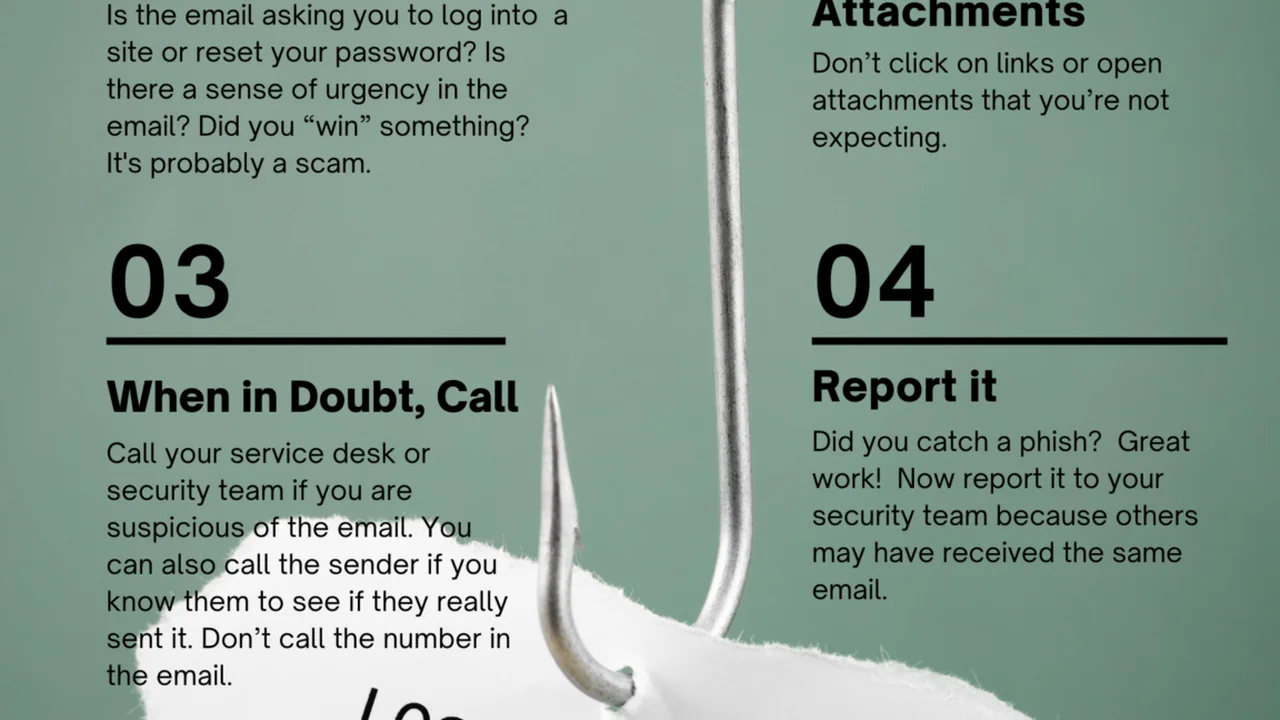
- Be Wary of Phishing: Don’t click on suspicious links or open attachments from unknown senders. Always double-check the sender’s email address.
- Backup Your Data: Regularly back up your important files to an external drive or cloud service. If ransomware hits, you’ll be able to restore your data without paying the ransom.
- Educate Yourself and Your Team: For businesses, regular security awareness training for employees is vital.
- Secure Your Wi-Fi: Use a strong password for your home Wi-Fi and consider using a VPN, especially on public Wi-Fi.
- Limit Administrative Privileges: Don’t browse the internet or open emails with administrator rights on your computer. Use a standard user account for daily tasks.
- Regularly Review Security Settings: Periodically check the settings of your endpoint security software to ensure it’s configured optimally.
The Future of Endpoint Security AI Machine Learning and Beyond
Endpoint security isn’t standing still. The future is all about even smarter, more proactive protection. We’re seeing a huge push towards:
- AI and Machine Learning: These technologies will continue to get better at predicting and preventing threats before they even execute.
- Extended Detection and Response (XDR): This takes EDR a step further by integrating security data from endpoints, networks, cloud, and email to provide a more holistic view of threats.
- Zero Trust Architecture: This principle means ‘never trust, always verify.’ Every user and device, whether inside or outside the network, must be authenticated and authorized before gaining access.
- Cloud-Native Security: More solutions will be built directly in the cloud, offering scalability, flexibility, and easier management.
- Automated Remediation: The ability for security systems to automatically respond to and fix threats without human intervention will become more common.
Staying ahead of cybercriminals is a constant race, but with the right endpoint security solutions and best practices, you can significantly reduce your risk and keep all your devices, and the valuable data on them, safe.
So, whether you’re a student with a laptop, a freelancer with multiple devices, or a small business owner managing a team, investing in robust endpoint security is one of the smartest decisions you can make in today’s digital age. Don’t wait until it’s too late; protect your digital life now!