Learn ten crucial steps to proactively prevent identity theft. Protect your personal and financial information from cybercriminals.
Learn ten crucial steps to proactively prevent identity theft. Protect your personal and financial information from cybercriminals.
How to Prevent Identity Theft 10 Essential Steps
Hey there! Let’s talk about something super important in our digital lives: identity theft. It’s a scary thought, right? Someone out there using your personal info for their own gain. But here’s the good news: you’re not powerless. There are tons of things you can do to make yourself a much tougher target for these cybercriminals. Think of it as building a fortress around your personal and financial information. We’re going to walk through ten essential steps that are practical, easy to understand, and genuinely effective. No jargon, just straightforward advice to keep your identity safe and sound.
Identity theft isn’t just about someone opening a credit card in your name. It can be medical identity theft, tax fraud, even criminal identity theft. The consequences can be a huge headache, costing you time, money, and a whole lot of stress. So, let’s get proactive and put these steps into action. Ready to become an identity theft prevention pro? Let’s dive in!
1. Secure Your Digital Life with Strong Unique Passwords and Multi Factor Authentication
This is probably the most fundamental step, and honestly, it’s where a lot of people slip up. Think about it: your passwords are the keys to your digital kingdom. If they’re weak or reused, you’re practically leaving the door open for identity thieves. So, what’s a strong password? It’s long, complex, and unique. We’re talking a mix of uppercase and lowercase letters, numbers, and symbols. And please, for the love of all that’s secure, don’t use ‘password123’ or your pet’s name!
But here’s the kicker: remembering all those strong, unique passwords for every single account is practically impossible for us mere mortals. That’s where a good password manager comes in. These tools are lifesavers. They generate super strong passwords for you, store them securely, and even auto-fill them when you need to log in. It’s like having a super-smart, super-secure digital assistant for your logins. Plus, you only need to remember one master password to access your vault. Easy peasy, right?
Recommended Password Managers for Identity Protection
- LastPass: This is a really popular choice, and for good reason. It’s user-friendly, works across all your devices, and offers robust security features. They have a free tier that’s pretty generous, and their premium plans add features like dark web monitoring and emergency access. A premium family plan usually runs about $48 per year.
- 1Password: Another top contender, 1Password is known for its strong security and intuitive interface. It’s great for individuals and families, and they offer excellent integration with various browsers and apps. A personal plan is typically around $36 per year, with family plans slightly higher.
- Bitwarden: If you’re looking for an open-source option that’s highly secure and often more budget-friendly, Bitwarden is fantastic. It offers all the core features you’d expect from a premium password manager, including strong encryption and cross-device sync. They have a free personal plan and premium features starting at around $10 per year.
Now, let’s talk about Multi-Factor Authentication (MFA), sometimes called Two-Factor Authentication (2FA). This is your ultimate backup plan. Even if a thief somehow gets your password, MFA adds another layer of security that makes it incredibly difficult for them to access your account. It usually involves something you know (your password) and something you have (like your phone or a physical security key). When you try to log in, you’ll get a code sent to your phone, or you’ll need to tap a button on your security key. Without that second factor, no entry!
Why MFA is a Game Changer for Online Security
Think of it like this: your password is the lock on your front door. MFA is the alarm system, the deadbolt, and maybe even a guard dog. It’s that extra hurdle that most identity thieves won’t bother trying to jump. Most major online services – email, banking, social media – offer MFA, and you should absolutely enable it on every single one. It takes a few extra seconds to log in, but that peace of mind is priceless.
2. Monitor Your Financial Accounts and Credit Reports Regularly for Fraud Detection
This step is all about being vigilant. You wouldn’t leave your front door unlocked, so why wouldn’t you keep an eye on your financial accounts? Regularly checking your bank statements, credit card bills, and credit reports is like having a personal security guard for your money. You’re looking for anything that seems off – transactions you don’t recognize, new accounts opened in your name, or sudden drops in your credit score.
For your bank and credit card accounts, try to check them at least once a week, if not more often. Many banks offer mobile apps that make this super easy. Set up alerts for large transactions or unusual activity. The sooner you spot something suspicious, the faster you can act to minimize any damage.
Your credit report is another critical piece of the puzzle. It contains a detailed history of your credit activity, including loans, credit cards, and payment history. By law, you’re entitled to a free copy of your credit report from each of the three major credit bureaus (Equifax, Experian, and TransUnion) once every 12 months. You can get these at AnnualCreditReport.com. I highly recommend staggering these requests, so you get one report every four months. This way, you’re essentially monitoring your credit year-round for free.
Credit Monitoring Services for Proactive Alerts
While checking your reports manually is good, credit monitoring services take it a step further by actively watching your credit files and alerting you to significant changes. This can include new accounts, inquiries, or changes to your personal information. They’re like having an automated watchdog for your credit.
- IdentityForce: Often highly rated for its comprehensive monitoring, including credit, dark web, and even social media. They offer fast alerts and robust recovery services. Plans typically start around $17.99 per month for individuals.
- Experian IdentityWorks: Directly from one of the credit bureaus, this service offers strong credit monitoring, FICO score tracking, and identity theft insurance. They have various plans, with premium options around $19.99 per month.
- Credit Karma: While not a full identity theft protection service, Credit Karma offers free credit monitoring from TransUnion and Equifax, along with credit score tracking. It’s a great free tool to keep an eye on your credit, though it doesn’t offer the same level of comprehensive protection as paid services.
3. Be Wary of Phishing Scams and Suspicious Communications
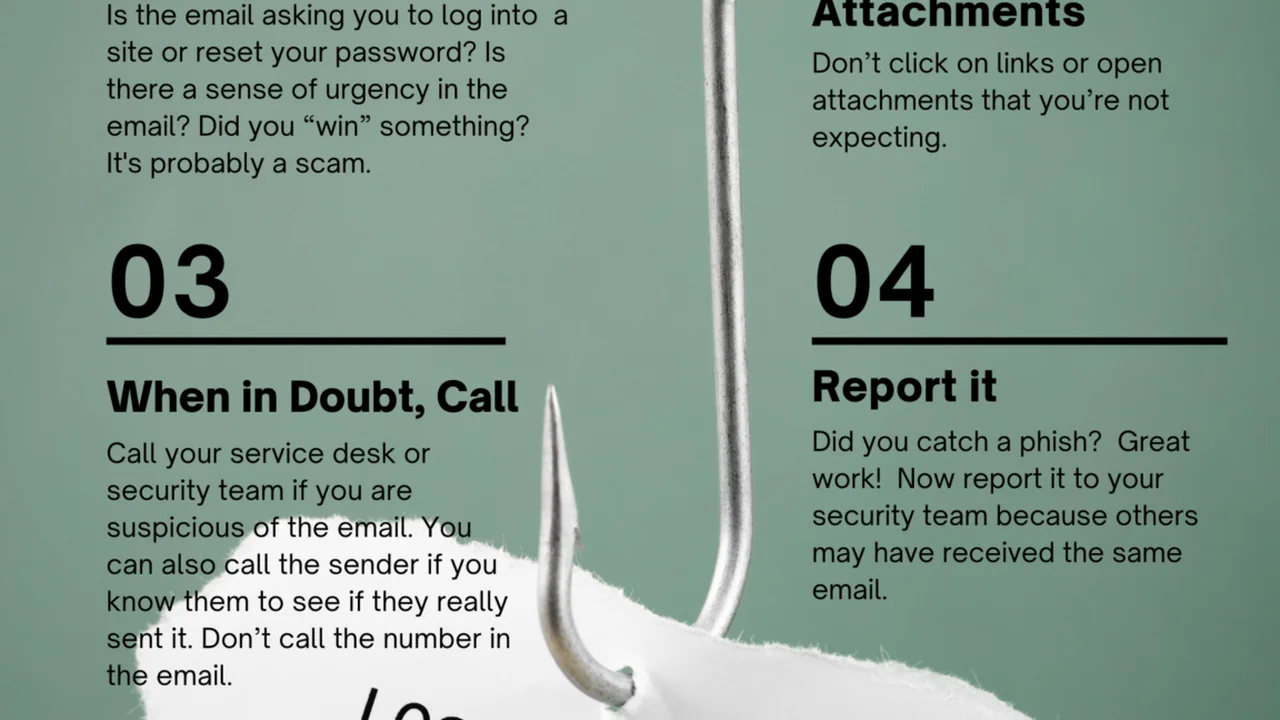
Phishing is one of the oldest tricks in the book, but it’s still incredibly effective because scammers are constantly evolving their tactics. Phishing scams are attempts to trick you into revealing personal information – like passwords, bank account numbers, or Social Security numbers – by pretending to be a legitimate entity. This could be your bank, a government agency, a popular online retailer, or even a friend.
These scams usually come in the form of emails, text messages (smishing), or phone calls (vishing). They often create a sense of urgency or fear, like ‘Your account has been compromised, click here to verify!’ or ‘You owe back taxes, call this number immediately!’
How to Spot a Phishing Attempt
- Check the Sender’s Email Address: Does it look legitimate? Scammers often use addresses that are very similar to official ones but have subtle differences (e.g., ‘[email protected]‘ instead of ‘[email protected]‘).
- Look for Generic Greetings: Legitimate organizations usually address you by name. If it says ‘Dear Customer’ or ‘Dear Valued User,’ be suspicious.
- Poor Grammar and Spelling: While not always present, many phishing emails contain obvious grammatical errors or typos.
- Suspicious Links: Hover your mouse over any links (don’t click!) to see the actual URL. If it doesn’t match the sender’s official website, it’s likely a scam.
- Sense of Urgency or Threats: Scammers want you to act without thinking. Be wary of messages that demand immediate action or threaten consequences.
- Requests for Personal Information: Legitimate companies will rarely ask for sensitive information like your password or Social Security number via email or text.
If you receive a suspicious communication, the best thing to do is to go directly to the source. If it’s supposedly from your bank, open your browser, type in their official website address, and log in there. Don’t click links in the email. If it’s a phone call, hang up and call the company back using a number you know is legitimate (from their official website or a statement).
4. Shred Sensitive Documents Before Discarding Them for Physical Security
While we talk a lot about digital security, don’t forget about the physical world! Dumpster diving is still a thing, and identity thieves love to rummage through trash for discarded documents that contain your personal information. Think about all the mail you get: bank statements, credit card offers, medical bills, utility bills, tax documents. These can all contain valuable pieces of your identity.
That’s why a good shredder is an essential tool in your identity theft prevention arsenal. Don’t just tear up documents; cross-cut shredders are best because they turn documents into tiny, confetti-like pieces, making them virtually impossible to reassemble. Strip-cut shredders are okay, but cross-cut offers superior protection.
What to Shred for Maximum Identity Protection
- Bank and credit card statements (once you’ve reviewed them)
- Pre-approved credit card offers
- Utility bills
- Medical bills and insurance documents
- Tax documents (after the retention period)
- Pay stubs
- Any document with your name, address, account numbers, or Social Security number
It might seem like a small thing, but consistently shredding these documents can prevent a lot of headaches down the line. Make it a habit, just like locking your doors.
5. Be Careful What You Share Online and Manage Your Digital Footprint
In our hyper-connected world, it’s easy to overshare. Every photo you post, every status update, every comment you make contributes to your digital footprint. And while sharing with friends and family is fun, remember that anything you put online can potentially be seen by others, including identity thieves. They can piece together information from your social media profiles to answer security questions, guess passwords, or even impersonate you.
Tips for Managing Your Online Presence and Privacy Settings
- Review Your Privacy Settings: On all social media platforms, take the time to go through your privacy settings. Make sure your posts are only visible to friends or a limited audience, not the general public.
- Limit Personal Information: Avoid posting your full birth date, home address, phone number, or specific travel plans. These are goldmines for identity thieves.
- Think Before You Post: Before you hit ‘share,’ ask yourself: ‘Could this information be used against me?’ If the answer is yes, or even maybe, reconsider posting it.
- Be Wary of Quizzes and Games: Those fun quizzes like ‘What’s your celebrity twin?’ or ‘What’s your superhero name?’ often ask for information that could be used to answer security questions (e.g., ‘What was your first pet’s name?’).
- Clean Up Old Accounts: If you have old social media profiles or online accounts you no longer use, delete them. They could be vulnerable to breaches.
- Use a VPN for Public Wi-Fi: When you’re out and about, public Wi-Fi networks are often unsecured. Using a Virtual Private Network (VPN) encrypts your internet traffic, protecting your data from snoopers.
Your digital footprint is essentially your online reputation and data trail. By being mindful of what you share and actively managing your privacy settings, you significantly reduce the amount of information available to potential identity thieves.
6. Secure Your Mailbox and Be Mindful of Mail Fraud
Just like physical documents, your physical mailbox can be a target. Mail theft is a common way for identity thieves to get their hands on sensitive information. They can steal bank statements, credit card offers, tax documents, and even checks. Once they have these, they can open new accounts, change your address, or commit other forms of fraud.
Practical Steps to Protect Your Mail
- Use a Locking Mailbox: This is a simple but effective deterrent. A locking mailbox prevents thieves from simply reaching in and grabbing your mail.
- Collect Mail Promptly: Don’t let mail sit in your mailbox for extended periods. Try to collect it as soon as it’s delivered.
- Hold Mail When Away: If you’re going on vacation, use the USPS mail hold service. This prevents your mailbox from overflowing and signaling that you’re not home.
- Shred Pre-Approved Offers: We already covered this, but it bears repeating. Those pre-approved credit card offers are prime targets. Shred them immediately if you don’t intend to use them.
- Opt Out of Unwanted Mail: You can reduce the amount of junk mail you receive, including pre-screened credit offers, by visiting OptOutPrescreen.com.
- Be Wary of Unexpected Mail: If you receive mail for accounts you didn’t open, or notifications about address changes you didn’t request, investigate immediately.
Your mailbox is a direct line to your personal information. Treating it with the same security consciousness as your digital accounts is crucial for comprehensive identity protection.
7. Use a VPN on Public Wi-Fi Networks for Data Encryption
We briefly touched on this, but it’s so important it deserves its own section. Public Wi-Fi networks – think coffee shops, airports, hotels – are incredibly convenient, but they’re also notoriously insecure. Many of these networks lack proper encryption, meaning that anyone with a bit of technical know-how can potentially snoop on your internet traffic. This includes your login credentials, banking information, and anything else you send or receive.
A Virtual Private Network (VPN) creates a secure, encrypted tunnel between your device and the internet. When you connect to a VPN, all your online activity is routed through a secure server, making it virtually impossible for anyone on the public Wi-Fi network to intercept your data. It’s like putting your internet traffic in a locked, armored car.
Top VPN Services for Public Wi-Fi Security
- NordVPN: A very popular choice known for its strong encryption, vast server network, and user-friendly apps. It’s excellent for general privacy and securing public Wi-Fi. A 2-year plan often costs around $3.29 per month.
- ExpressVPN: Often praised for its speed and reliability, ExpressVPN also offers top-tier security features and a strict no-logs policy. It’s a bit pricier, usually around $6.67 per month for a 12-month plan.
- Surfshark: A more budget-friendly option that doesn’t compromise on features. Surfshark offers unlimited simultaneous connections, strong encryption, and a clean interface. Plans can be as low as $2.49 per month for a 2-year subscription.
Even if you’re just checking email or browsing social media on public Wi-Fi, using a VPN is a smart move. It adds a critical layer of protection that can prevent your personal information from falling into the wrong hands.
8. Be Cautious with Personal Information Requests and Verify Sources
Identity thieves are masters of deception. They’ll try to get you to willingly hand over your personal information by pretending to be someone trustworthy. This could be through phishing emails (as discussed), but also through phone calls, fake websites, or even in-person interactions.
The golden rule here is: always verify the source before providing any personal information.
When and How to Verify Information Requests
- Unexpected Calls: If someone calls claiming to be from your bank, the IRS, or a tech support company and asks for sensitive information, be suspicious. Hang up and call the organization back using a number you know is legitimate (from their official website or a statement).
- Unsolicited Emails/Texts: Never click on links or open attachments from unknown senders. If an email seems to be from a company you deal with, but it looks odd, contact the company directly through their official channels.
- Pop-Up Warnings: Be extremely wary of pop-up messages on your computer claiming you have a virus and instructing you to call a number or download software. These are almost always scams.
- Social Engineering: Identity thieves might try to ‘socially engineer’ information out of you by striking up conversations and subtly asking for details that could help them. Be mindful of what you share with strangers, even in casual settings.
- Secure Websites: When you’re on a website where you’re entering personal information (like online shopping or banking), always check for ‘https://’ in the URL and a padlock icon in your browser’s address bar. This indicates a secure connection.
Remember, legitimate organizations will rarely, if ever, ask for your full Social Security number, full credit card number, or passwords via email or an unsolicited phone call. When in doubt, don’t give it out!
9. Keep Your Software and Operating Systems Updated for Security Patches
This might sound like a chore, but keeping your software updated is a critical cybersecurity practice. Software developers are constantly finding and fixing vulnerabilities – essentially, weaknesses in their code that hackers could exploit. These fixes are released as updates or patches.
If you ignore these updates, you’re leaving your devices open to known exploits. Identity thieves and cybercriminals actively look for unpatched systems to gain access to your computer, steal your data, or install malware. This applies to everything: your operating system (Windows, macOS, Android, iOS), your web browser, your antivirus software, and any other applications you use.
Why Software Updates are Your Digital Shield
- Patching Vulnerabilities: Updates often contain security patches that close loopholes hackers could use to access your system.
- Protection Against New Threats: As new cyber threats emerge, software updates often include new defenses to protect against them.
- Improved Performance: Beyond security, updates often bring performance enhancements and new features.
Most modern operating systems and applications offer automatic updates. It’s a good idea to enable these whenever possible. If you prefer to update manually, make it a regular habit – perhaps once a week or whenever you receive a notification. Don’t put it off!
10. Consider Identity Theft Protection Services for Comprehensive Coverage
While all the steps above are incredibly effective, sometimes you want an extra layer of protection and peace of mind. That’s where dedicated identity theft protection services come in. These services go beyond basic credit monitoring to offer a more comprehensive suite of features designed to prevent, detect, and recover from identity theft.
They typically include features like:
- Comprehensive Monitoring: Beyond credit, they often monitor the dark web for your personal information, public records, court records, and even social media for suspicious activity.
- Fraud Alerts: They’ll alert you quickly to any suspicious activity they detect, giving you time to act.
- Identity Restoration Services: This is a huge benefit. If your identity is stolen, these services often provide dedicated case managers who will work on your behalf to restore your identity, contact creditors, and deal with legal paperwork. This can save you hundreds of hours of stress and effort.
- Identity Theft Insurance: Many services include insurance to cover expenses related to identity theft, such as legal fees, lost wages, and other costs.
Leading Identity Theft Protection Services for Peace of Mind
- LifeLock by Norton: One of the most well-known names in identity theft protection. LifeLock offers a range of plans with varying levels of monitoring, dark web alerts, and identity restoration support. Their plans can range from about $9.99 to $29.99 per month, depending on the features.
- Identity Guard: Highly regarded for its advanced AI-powered threat detection and comprehensive monitoring. They offer individual and family plans with excellent dark web monitoring and U.S.-based case managers. Plans typically start around $7.50 per month for individuals.
- Aura: A newer but rapidly growing service that bundles identity theft protection with VPN, antivirus, and password manager features. It’s designed to be an all-in-one digital security solution. Plans can range from $12 to $30 per month, often with discounts for annual subscriptions.
Choosing an identity theft protection service is a personal decision. It’s an investment, but for many, the peace of mind and the expert assistance in case of a breach are well worth the cost. Compare features, read reviews, and pick a service that best fits your needs and budget.
So there you have it! Ten essential steps to help you prevent identity theft and keep your personal and financial information safe. It might seem like a lot, but by implementing even a few of these, you’ll significantly reduce your risk. Stay vigilant, stay informed, and keep those digital doors locked tight!