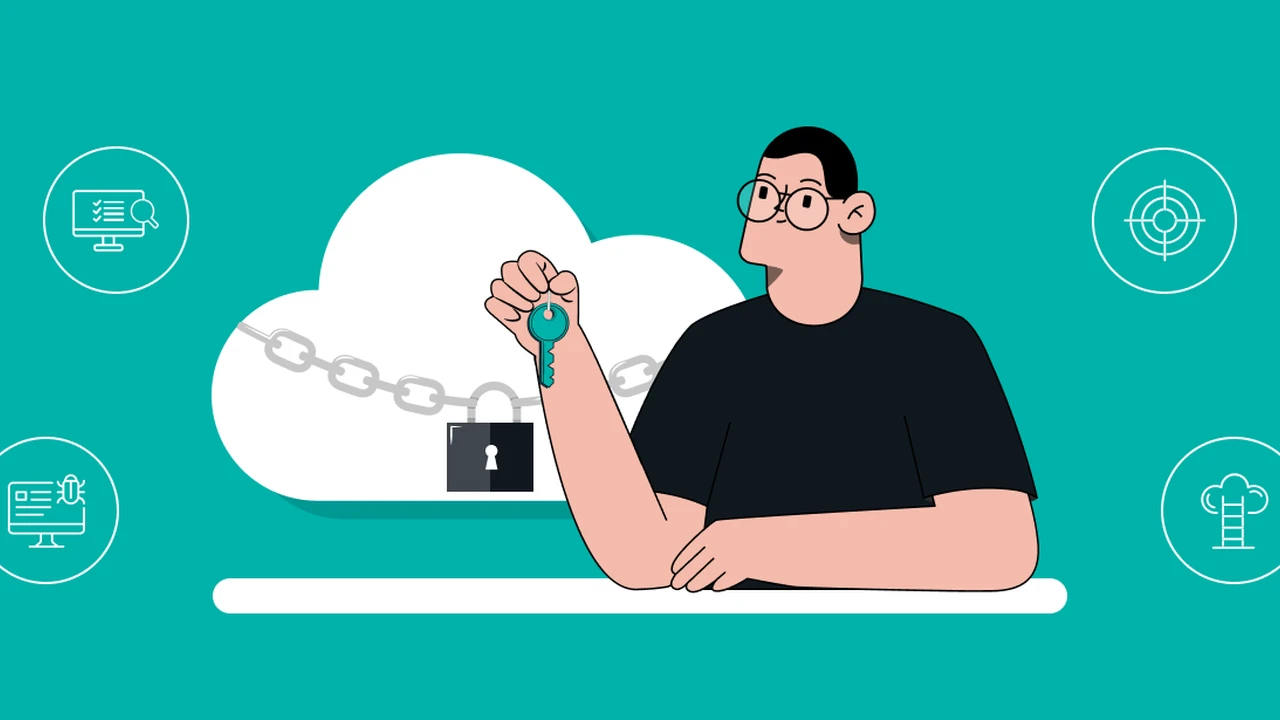
Discover essential cloud security best practices to protect your data stored in online services. Secure your digital assets.
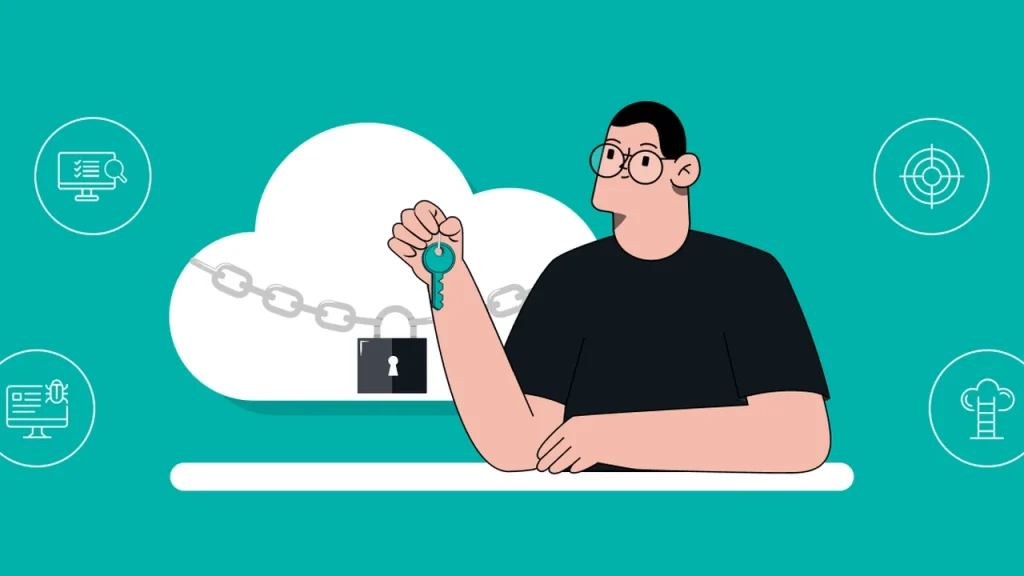
Discover essential cloud security best practices to protect your data stored in online services. Secure your digital assets.
Cloud Security Best Practices for Protecting Your Data Online
Hey everyone! Let’s talk about something super important in our digital lives: cloud security. Almost all of us use cloud services, whether we realize it or not. From storing photos on Google Photos or iCloud, to using Dropbox for work documents, or even just sending emails through Gmail, our data is constantly floating around in the cloud. And while the cloud offers incredible convenience and accessibility, it also comes with its own set of security challenges. So, how do we make sure our precious data is safe and sound up there? Let’s dive into some essential cloud security best practices that you absolutely need to know.
Understanding Cloud Security Risks What You Need to Know
Before we can protect our data, we need to understand what we’re protecting it from. Cloud computing, by its very nature, introduces unique security risks. Unlike storing data on your own hard drive, where you have physical control, cloud data is managed by a third-party provider. This means you’re entrusting them with a huge responsibility. Common risks include data breaches due to weak access controls, misconfigurations, insider threats (both from the provider’s side and your own organization), account hijacking, and even advanced persistent threats (APTs) targeting cloud infrastructure. It’s not just about hackers; sometimes, it’s about human error or a lack of understanding of how these services work. For instance, leaving a storage bucket publicly accessible by mistake is a surprisingly common cause of data leaks. We’ve all heard stories about companies accidentally exposing millions of customer records because of a simple misconfiguration. It’s a wild west out there, and you need to be armed with knowledge!
Strong Access Management Your First Line of Defense in Cloud Security
This is probably the most critical aspect of cloud security. Think of it like the locks on your front door. If they’re weak, anyone can get in. In the cloud, strong access management means ensuring only authorized individuals and systems can access your data. This involves several key components:
Multi-Factor Authentication MFA for Enhanced Cloud Account Protection
Seriously, if you’re not using MFA, you’re practically leaving your digital doors wide open. MFA adds an extra layer of security beyond just a password. It requires you to provide two or more verification factors to gain access to an account. This could be something you know (your password), something you have (a phone or hardware token), or something you are (a fingerprint or facial scan). Even if a hacker gets your password, they can’t get in without that second factor. Most cloud providers offer MFA, and it’s usually easy to set up. For example, Google, Microsoft, and Amazon Web Services (AWS) all have robust MFA options. For personal use, Google Authenticator or Authy are great apps that generate time-based one-time passwords (TOTP). For businesses, hardware tokens like YubiKey offer even stronger protection, especially for privileged accounts. The cost for personal MFA apps is usually free, while YubiKeys can range from $25 to $70 depending on the model and features. It’s a small price to pay for peace of mind.
Least Privilege Principle Minimizing Cloud Access Risks
This principle is simple but powerful: users and systems should only have the minimum level of access necessary to perform their tasks. Don’t give everyone administrator rights just because it’s easier. If someone only needs to read files, don’t give them permission to delete them. This limits the damage if an account is compromised. Cloud providers like AWS, Azure, and Google Cloud Platform (GCP) offer granular access controls through Identity and Access Management (IAM) policies. You can define exactly who can do what, where, and when. It takes a bit more effort to set up initially, but it’s crucial for preventing unauthorized actions and data breaches.
Regular Access Reviews Keeping Your Cloud Secure
People come and go, roles change, and projects end. If you don’t regularly review who has access to what, you’ll end up with a lot of stale accounts or over-privileged users. Schedule quarterly or semi-annual reviews to ensure that access rights are still appropriate. Remove access for former employees immediately. This is a common oversight that can lead to significant security vulnerabilities.
Data Encryption Your Cloud Data’s Secret Shield
Encryption is like scrambling your data so that only someone with the right key can unscramble and read it. It’s absolutely essential for cloud security, both when data is sitting still (at rest) and when it’s moving (in transit).
Encryption at Rest Protecting Stored Cloud Data
When your data is stored on a cloud provider’s servers, it should be encrypted. Most major cloud providers offer this by default for their storage services (like S3 on AWS, Azure Blob Storage, or Google Cloud Storage). However, it’s always good to double-check and ensure that encryption is enabled and configured correctly. Sometimes, you might have the option to use your own encryption keys (Customer-Managed Keys or CMK), which gives you even more control over your data’s security. This is a more advanced option, but it’s worth exploring if you have highly sensitive data.
Encryption in Transit Securing Data Movement to and from the Cloud
Whenever your data travels between your device and the cloud, or between different cloud services, it should be encrypted. This is typically done using protocols like TLS (Transport Layer Security), which is what secures HTTPS connections. Always ensure you’re using secure connections when uploading or downloading data from the cloud. Look for the padlock icon in your browser! If you’re building applications that interact with cloud services, make sure all API calls and data transfers use encrypted channels.
Cloud Configuration Management Avoiding Costly Mistakes
Misconfigurations are a leading cause of cloud data breaches. It’s easy to accidentally leave a storage bucket public, or open up a port that shouldn’t be accessible. Proper configuration management is about ensuring your cloud environment is set up securely from the start and stays that way.
Regular Security Audits for Cloud Environments
Think of security audits as regular check-ups for your cloud infrastructure. Tools like AWS Config, Azure Security Center, and Google Cloud Security Command Center can help you monitor your configurations and identify potential vulnerabilities. There are also third-party tools like Wiz, Orca Security, and Lacework that provide comprehensive cloud security posture management (CSPM) and cloud workload protection platform (CWPP) capabilities. These tools can scan your entire cloud environment, identify misconfigurations, compliance violations, and even detect threats in real-time. They can be pricey, ranging from thousands to tens of thousands of dollars annually for enterprise use, but for businesses handling sensitive data, they are invaluable.
Automated Configuration Checks for Continuous Cloud Security
Manual checks are good, but automated checks are even better. Implement automated tools that continuously scan your cloud environment for misconfigurations. If something is out of compliance with your security policies, these tools can alert you immediately or even automatically remediate the issue. This proactive approach significantly reduces your attack surface.
Data Backup and Recovery Your Cloud Safety Net
Even with the best security measures, things can go wrong. Data can be accidentally deleted, corrupted, or even held hostage by ransomware. That’s why robust backup and recovery strategies are non-negotiable for cloud data.
Implementing Regular Cloud Data Backups
Don’t rely solely on your cloud provider’s default redundancy. While they replicate your data across multiple data centers, that’s for availability, not necessarily for recovery from accidental deletion or corruption. Implement your own backup strategy. This might involve backing up data from one cloud region to another, or even backing up critical cloud data to an on-premises storage solution. Services like Veeam, Commvault, and Rubrik offer comprehensive backup and recovery solutions for various cloud platforms. Pricing varies widely based on data volume and features, but expect to pay anywhere from hundreds to thousands of dollars per month for enterprise-grade solutions.
Disaster Recovery Planning for Cloud Services
What happens if an entire cloud region goes down? Or if your account is compromised and all your data is wiped? A disaster recovery plan outlines the steps you’ll take to restore your operations and data in the event of a major incident. Test your recovery plan regularly to ensure it works. This isn’t just about data; it’s about business continuity.
Vendor Security Assessment Choosing Trustworthy Cloud Providers
You’re entrusting your data to a third party, so you need to make sure they’re trustworthy. Don’t just pick the cheapest or most convenient option without doing your homework.
Evaluating Cloud Provider Security Posture
Before committing to a cloud provider, thoroughly assess their security posture. Look for certifications like ISO 27001, SOC 2 Type 2, and FedRAMP. These certifications indicate that the provider adheres to stringent security standards. Review their security policies, incident response plans, and data handling practices. Ask about their encryption methods, access controls, and how they handle data breaches. A reputable provider will be transparent about their security measures.
Understanding Shared Responsibility Model in Cloud Security
This is a crucial concept. In cloud computing, security is a shared responsibility between you and the cloud provider. The provider is responsible for the security of the cloud (the underlying infrastructure, hardware, software, networking, and facilities). You, the customer, are responsible for security in the cloud (your data, applications, operating systems, network configuration, and access management). Many data breaches happen because customers misunderstand this model and assume the provider handles everything. It’s like the landlord is responsible for the building’s structure, but you’re responsible for locking your apartment door and securing your belongings inside.
Employee Training and Awareness Your Human Firewall
Technology can only do so much. Your employees are often the weakest link in your security chain, but they can also be your strongest defense if properly trained.
Cybersecurity Awareness Training for Cloud Users
Regularly train your employees on cloud security best practices. Teach them about phishing scams, strong password hygiene, the importance of MFA, and how to identify suspicious activity. Make sure they understand the risks associated with sharing sensitive data in the cloud and how to use cloud services securely. A well-informed workforce is less likely to fall victim to social engineering attacks that target cloud credentials.
Incident Response Planning for Cloud Security Incidents
Despite all your precautions, a security incident might still occur. Having a clear incident response plan is vital. This plan should outline who does what, when, and how in the event of a data breach or other security incident in the cloud. It should cover detection, containment, eradication, recovery, and post-incident analysis. Practice this plan regularly so everyone knows their role when a real crisis hits.
Specific Product Recommendations and Use Cases for Cloud Security
Let’s get a bit more practical and talk about some specific tools and services that can help you implement these best practices.
Cloud Security Posture Management CSPM Tools
- Palo Alto Networks Prisma Cloud: This is a comprehensive cloud-native security platform that offers CSPM, CWPP, cloud infrastructure entitlement management (CIEM), and more. It’s designed for multi-cloud environments (AWS, Azure, GCP, Alibaba Cloud, Oracle Cloud). Prisma Cloud helps you identify misconfigurations, enforce compliance, and detect threats across your entire cloud footprint. It’s an enterprise-grade solution, so expect pricing to be on the higher end, often based on consumption (e.g., number of resources, data scanned).
- CrowdStrike Falcon Cloud Security: Known for its endpoint protection, CrowdStrike also offers robust cloud security capabilities. Falcon Cloud Security provides visibility into your cloud environment, identifies vulnerabilities, and helps prevent breaches. It integrates well with other CrowdStrike modules for a unified security platform. Pricing is typically subscription-based, per workload or per resource.
- Wiz: A newer player that has quickly gained traction, Wiz offers a powerful agentless cloud security platform. It provides a full-stack view of your cloud environment, identifying risks from code to cloud. It’s highly regarded for its ease of deployment and comprehensive risk assessment capabilities. Pricing is usually custom, based on the scale of your cloud environment.
Cloud Workload Protection Platform CWPP Solutions
- Trend Micro Cloud One Workload Security: This solution provides advanced threat protection for servers, containers, and serverless functions across hybrid and multi-cloud environments. It includes anti-malware, intrusion prevention, virtual patching, and integrity monitoring. It’s a strong choice for protecting your actual compute instances in the cloud. Pricing is typically per instance or per hour.
- Aqua Security: Specializes in container and cloud-native security. Aqua provides comprehensive protection for your containerized applications, from development to production, across various cloud platforms. If you’re heavily into Kubernetes and Docker, Aqua is a top contender. Pricing is often based on the number of nodes or clusters.
Identity and Access Management IAM Solutions
- Okta: While cloud providers have their own IAM, Okta provides a robust identity management solution that can integrate across multiple cloud services and on-premises applications. It offers single sign-on (SSO), adaptive MFA, and lifecycle management, making it easier to manage user identities and access securely. Okta’s pricing is usually per user per month, with different tiers offering various features.
- Duo Security (Cisco): A leading MFA provider that offers easy-to-deploy and user-friendly MFA solutions. It can integrate with almost any application or service, including your cloud accounts. Duo also offers device trust and access policies to further enhance security. Pricing is per user per month, with free tiers available for small teams.
Cloud Data Loss Prevention DLP Tools
- Symantec CloudSOC (Broadcom): A comprehensive Cloud Access Security Broker (CASB) solution that includes strong DLP capabilities. It helps you discover shadow IT, monitor user activity, and prevent sensitive data from leaving your cloud applications. It’s particularly useful for organizations with strict compliance requirements. Pricing is typically enterprise-level and custom.
- Microsoft Purview (formerly Microsoft 365 Compliance): For organizations heavily invested in the Microsoft ecosystem, Purview offers integrated DLP capabilities across Microsoft 365, Azure, and other services. It helps identify, monitor, and protect sensitive information across your digital estate. Pricing is often included in higher-tier Microsoft 365 subscriptions or as an add-on.
Comparing Cloud Security Solutions What to Consider
When choosing cloud security products, it’s not a one-size-fits-all situation. Here’s what to think about:
- Your Cloud Environment: Are you single-cloud (e.g., only AWS) or multi-cloud? Some tools are better suited for specific platforms or offer broader multi-cloud support.
- Your Specific Needs: Are you primarily concerned with misconfigurations, workload protection, identity management, or data loss prevention? Prioritize tools that address your most pressing concerns.
- Integration: How well does the solution integrate with your existing security tools and workflows? A fragmented security stack can be harder to manage.
- Scalability: Can the solution scale with your cloud growth? You don’t want to outgrow your security tools quickly.
- Ease of Use: Is the tool easy to deploy, configure, and manage? A complex tool that’s hard to use might lead to misconfigurations or be ignored.
- Cost: Cloud security solutions can be expensive. Balance features with your budget. Many offer free trials, so take advantage of those to test them out.
- Compliance Requirements: Do you need to meet specific regulatory compliance standards (e.g., HIPAA, GDPR, PCI DSS)? Choose tools that help you achieve and maintain compliance.
For example, a small business might start with the native security features offered by their cloud provider (like AWS Security Hub or Azure Security Center) and add a strong MFA solution like Duo. A larger enterprise with a complex multi-cloud environment and strict compliance needs might invest in a comprehensive platform like Prisma Cloud or Wiz, along with specialized CWPP and IAM solutions.
Staying Ahead of Cloud Security Threats Continuous Improvement
Cloud security isn’t a one-time setup; it’s an ongoing process. The threat landscape is constantly evolving, and so should your security measures.
Regularly Update and Patch Cloud Systems
Just like your on-premises systems, your cloud-based operating systems, applications, and services need to be regularly updated and patched. Cloud providers handle the underlying infrastructure, but you’re responsible for patching your virtual machines, containers, and applications running in the cloud. Stay on top of security advisories and apply patches promptly to close known vulnerabilities.
Threat Intelligence and Monitoring for Cloud Environments
Keep an eye on the latest cloud security threats and vulnerabilities. Subscribe to security newsletters, follow industry experts, and leverage threat intelligence feeds. Implement robust monitoring and logging in your cloud environment to detect suspicious activity early. Tools like Security Information and Event Management (SIEM) systems (e.g., Splunk, Microsoft Sentinel) can aggregate logs from various cloud services and provide centralized visibility and alerting. These are typically enterprise-level solutions with significant costs, often based on data ingestion volume.
So, there you have it! Protecting your data in the cloud requires a multi-layered approach, combining strong access controls, encryption, diligent configuration management, robust backups, careful vendor selection, and continuous vigilance. It might seem like a lot, but by implementing these best practices, you can significantly enhance your cloud security posture and keep your digital assets safe and sound. Stay secure out there!